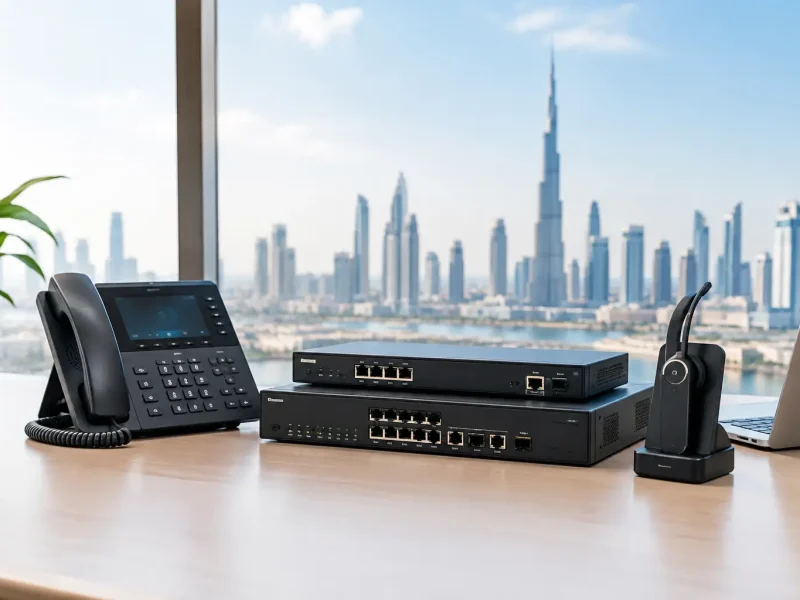


Your team is already dealing with this. Sales wants simple video meetings. Support wants a reliable customer channel. HR wants remote interviews. Compliance wants everything documented and legal. Then someone asks the obvious question: which video calling apps in Dubai work, stay compliant, and won’t create problems with Etisalat, DU, or the TDRA?
That’s the right question.
Most articles on video calling apps in dubai stop at a list of apps. That isn’t enough for an IT Director. You don’t need a list. You need a decision framework that fits your network, your users, your compliance exposure, and your integration roadmap.
The urgency is obvious. The global video calling market was valued at $44.99 billion in 2023 and is projected to reach $104.92 billion by 2030, while the UAE is projected to have 9.19 million smartphone users and 96.3% mobile internet usage penetration by 2025 (EmizenTech). Demand is there. Expectations are high. Dubai users assume video should just work. In practice, it only works well when you choose for the UAE environment, not against it.
If you’re still comparing options through the lens of “what’s popular globally”, you’re already off track. Start with what’s lawful, stable, and scalable. If you need background on personal internet calling options before making a business decision, this overview of internet calling free options is a useful baseline.
Choosing the Right Video Calling App in Dubai
Here’s the blunt version. There is no single best app for every business in Dubai. There are only apps that fit a specific operational model.
Some businesses need a fast, legal, low-friction app for small teams and external calls. Others need a unified communications stack tied to Microsoft 365, CRM records, reporting, and local carrier compliance. Treating those as the same buying decision often leads to wasted time and budget.
Early in the process, separate your options into two buckets:
| Business need | Best-fit direction | Why |
|---|---|---|
| Small team, straightforward calling, minimal integration | BOTIM or GoChat | Fast deployment, local approval, simple user adoption |
| Microsoft-centric business with governance requirements | Microsoft Teams with Direct Routing | Better fit for identity, collaboration, and enterprise control |
| Multi-site customer service or contact centre | Zoom Phone BYOC or Teams Voice Direct Routing | Better path for carrier compliance, analytics, and routing |
| Regulated operations in healthcare or finance | Enterprise platform with local configuration | Personal apps won’t cover governance and system integration needs |
Start with the use case, not the brand
An owner-managed firm with a handful of users doesn’t need an overbuilt enterprise telephony stack.
A regional support operation handling customer interactions across voice, chat, and CRM absolutely does.
That distinction matters because video calling apps in dubai operate inside a regulated telecom model. Your selection isn’t just a user preference issue. It affects legal exposure, quality of service, security posture, and future integration work.
My practical recommendation
Use this rule.
Practical rule: If video calling is only a convenience feature, approved local apps are enough. If video calling touches customers, records, regulated data, or staff performance, move straight to an enterprise design.
That approach cuts through most internal debates. It also prevents the common mistake of rolling out a consumer app, then trying to bolt on enterprise controls later.
Navigating Dubai's Video Calling Regulatory Framework
Your sales director wants Zoom. HR wants WhatsApp video for interviews. A regional manager says a VPN will cover the gaps. If you approve any of that without checking the UAE telecom position first, you create a compliance problem before you create a communications strategy.
Dubai treats video calling as a regulated telecom service. The Telecommunications and Digital Government Regulatory Authority, or TDRA, sets the rules, and local carrier relationships still matter in practice. So your first filter is simple. Can this service operate lawfully and supportably in the UAE?

What regulation means in practice
For day-to-day business use, you are choosing between two categories.
Approved local apps such as BOTIM, C'Me, Voico, and GoChat sit inside the UAE telecom model and are typically tied to local carrier service frameworks. Enterprise platforms such as Microsoft Teams with Direct Routing or Zoom Phone BYOC can also fit, but only when they are designed around lawful UAE telephony and carrier interconnect, not rolled out as a generic global tenant.
That distinction matters because approval is only the starting point. A Dubai business also needs to know where call traffic is anchored, how numbers are presented, what support path exists when quality drops, and whether the vendor can explain the local operating model without hiding behind marketing language.
Stop treating VPNs as a policy
The shortcut argument comes up in almost every organisation. Someone says the app works overseas, so it should work here if users connect differently.
Reject that idea.
A workaround is not a business communications policy. It gives you no serious compliance position, no dependable support route, and no clean answer when legal, audit, or security teams ask how voice and video traffic are being handled. If the platform matters to operations, customer conversations, or regulated data, it must be deployed in a way that fits UAE rules from day one.
Why this is also an architecture decision
Regulation in Dubai is not just a legal box to tick. It shapes performance, support, and integration.
Locally aligned services usually behave better on UAE networks because the carrier path, service design, and support model are built for that environment. Enterprise platforms add another layer of value when they are configured properly. They can tie video and voice into identity controls, recording rules, CRM workflows, queues, and reporting. This represents a significant dividing line in this market. Consumer-grade convenience handles basic communication. Enterprise unified communications supports governed business processes.
If you need the broader context behind those deployment choices, this guide to video calling in Dubai for business use covers the main operating models.
The vendor questions that expose weak options fast
Ask these three questions before any pilot starts:
- Is this service approved, or can you document how it is lawfully deployed in the UAE?
- Which local carrier dependencies exist for numbering, routing, or service quality?
- How does this platform handle recording, admin control, and integration with our existing business systems?
The third question is where weak suppliers usually fail. A consumer app vendor will talk about downloads and ease of use. A serious enterprise partner will explain policy controls, SIP or Direct Routing design, CRM integration, and support ownership.
My recommendation
Use local approved apps only for low-risk internal communication and basic external calling.
Use an enterprise platform when video calling connects to customers, contact centres, regulated teams, recorded conversations, or workflow systems. In Dubai, the right answer is usually not “which app is popular?” It is “which model gives us compliance, carrier-grade reliability, and a clean path into the rest of our communications stack?”
Head-to-Head Comparison of Leading Video Apps
A Dubai IT Director usually reaches the same point fast. One business unit wants the easiest approved app. Another wants Teams because the company already pays for Microsoft 365. Customer operations asks for call routing, recording, and CRM links. If you treat those as the same buying decision, you will choose the wrong tool.
The useful comparison is between two classes of product. Approved consumer-grade apps solve simple legal calling. Enterprise unified communications platforms support policy control, telephony design, integrations, and scale. Judge them on that basis.
| Platform | Best for | Compliance position | Key strengths | Main limits |
|---|---|---|---|---|
| BOTIM | Small teams, straightforward business calling | Approved for UAE use | Familiar to users, easy rollout, dependable for basic internal and external calls | Limited admin control and weak fit for CRM-driven workflows |
| GoChat | SMBs wanting approved calling plus local service alignment | Approved for UAE use | Good fit for UAE users, simple adoption, broader utility than a basic calling app | Not a strong core platform for contact centre or governed service operations |
| Microsoft Teams with Direct Routing | Microsoft-heavy organisations | Suitable when configured for UAE enterprise deployment | Strong identity control, Microsoft 365 integration, central administration, good long-term standardisation | Needs proper carrier design, numbering, and implementation discipline |
| Zoom Phone BYOC | Customer-facing teams and multi-site telephony | Suitable when deployed with a compliant carrier model | Flexible telephony architecture, strong fit for distributed service teams, easier to shape around operational workflows | Depends on sound carrier planning and a clear support model |
| Google Meet | Light internal collaboration inside Google Workspace | Acceptable for meetings, but not a full UAE business calling strategy | Simple meeting experience, low training overhead | Weak option for telephony, recording policy, and business process integration |

BOTIM for simple legal calling
BOTIM earns its place because staff, clients, and partners in the UAE already know it. That lowers training effort and reduces rollout friction.
For a small office that needs straightforward, approved calling without a telecom project, BOTIM is a practical answer. It works best where the call starts and ends inside the app and no downstream business process depends on it.
That is also the limit.
BOTIM does not give IT the level of policy control, routing flexibility, reporting depth, or system integration expected in a serious communications stack. If your sales, support, or account teams need customer records, call outcomes, or managed escalation paths, BOTIM becomes a dead end quickly.
Best fit: small teams that need legal, low-complexity calling and can live without deep integration.
GoChat for UAE-centric SMB use
GoChat sits in the same approved category, but it is often the better choice for SMBs that want a more locally oriented app experience.
It suits businesses that value UAE familiarity and want one tool that feels aligned with the local telecom environment. For everyday communication, that can be enough. Adoption is usually straightforward, and the app makes sense for teams that are mobile, cost-conscious, and not trying to build a formal customer engagement platform.
GoChat still has the same strategic ceiling as BOTIM. It is an app first. It is not the right control point for service operations, regulated communication, or cross-system workflow management.
Best fit: UAE-based SMBs that want an approved local app with broader day-to-day utility than a basic calling tool.
Microsoft Teams with Direct Routing for standardised business communications
If your company already runs on Microsoft 365, Teams with Direct Routing is usually the strongest long-term decision.
The primary advantage is not the meeting window. It is the operating model. Identity, access, policy, calling, meetings, files, and user administration can sit in one managed environment. That matters to IT because governance gets simpler, support ownership gets clearer, and users stop jumping between disconnected tools.
Direct Routing is the key point in Dubai. Standard Teams usage on its own is not a complete telephony strategy. Teams becomes a serious business calling platform when it is connected properly to carrier services, numbering, call policies, and any compliance controls your sector requires.
Analysts at Digital Gravity found that Microsoft Teams performs well for business meetings in the UAE, with strong uptime and high-quality video in local testing. That supports what many enterprise buyers already see in practice. Teams is a strong choice when you want one communications standard across the business, not another standalone app.
Best fit: Microsoft-first organisations that want governance, integration, and one platform for collaboration plus calling.
Zoom Phone BYOC for customer operations and multi-site telephony
Zoom Phone BYOC is often the better option when the business cares more about telephony flexibility than suite standardisation.
This matters in customer-facing environments. Support desks, distributed sales teams, and service operations often need carrier choice, numbering flexibility, call handling logic, and cleaner paths into contact-centre-style workflows. Zoom Phone BYOC fits that model well.
The common buying mistake is easy to spot. Teams compare consumer Zoom meetings with enterprise Zoom Phone architecture and assume they are judging the same product family. They are not. Free or basic Zoom usage tells you very little about whether Zoom Phone BYOC will suit a regulated, customer-facing business in Dubai.
If your requirement includes call flows, queue logic, branch support, or integration into a wider customer communications design, Zoom deserves a serious place on the shortlist.
Best fit: service-led and multi-location businesses that need a flexible telephony layer and do not want to force everything through a workplace suite decision.
Google Meet as a limited business option
Google Meet is fine for internal collaboration inside Google Workspace. That is the right way to frame it.
It is not the platform I would put at the centre of business calling in Dubai if customer conversations, recording policy, call ownership, or telecom integration matter. Meet handles meetings well enough. It does not solve the harder operational requirements that push IT teams toward enterprise calling architecture.
My recommendation by business type
Use a simple filter.
Small office with low process complexity
Choose BOTIM or GoChat.
BOTIM suits teams that want the most familiar approved option. GoChat suits teams that prefer a more UAE-oriented app experience. Both are acceptable for basic communication. Neither should become your long-term communications backbone.
Growing SMB
Choose Teams with Direct Routing or Zoom Phone BYOC earlier than the business thinks it needs to.
That decision saves you from a painful migration later. It also stops departments from building manual workarounds around apps that were never designed for reporting, governance, or CRM-linked communication.
Enterprise, regulated, or customer-service-heavy operation
Choose an enterprise platform. Do it properly. Build around compliance, identity control, carrier design, recording policy, and integration requirements from the start.
The right question is not which app people already know. The right question is which platform will still work when video calling becomes part of sales, support, case management, and audited business communication.
Key Decision Factors for Your Business
The app itself isn’t the hard part. The hard part is matching the tool to your operating risk.
A logistics company, a medical provider, and a professional services firm can all use video. They should not all buy the same way.

Ask what happens after the call
This is the question many teams miss.
If the call is just a conversation, an approved app may be enough. If the call should trigger a case, update a customer record, attach notes, route a follow-up, or feed supervisor reporting, then you’re no longer buying a calling app. You’re buying part of a business process.
That pushes you toward enterprise platforms.
Think in terms of scale
A ten-user office can tolerate some manual work. A fifty-user operation starts to feel every inefficiency. A larger service team feels all of them immediately.
Use this scale test:
- Single office, low call complexity. A local approved app can work.
- Several teams, shared ownership, reporting needs. Enterprise stack.
- Multi-location support or customer operations. Enterprise stack with carrier-aware design.
- Hybrid cloud and on-premise requirements. Avoid consumer-first tools.
Regulated sectors need a higher standard
This matters most in healthcare and finance.
For healthcare in Dubai, compliance goes beyond TDRA approval. Solutions often need to integrate with health data platforms such as Nabidh or Malaffi, and that’s where personal apps fall short while enterprise solutions can be configured to fit those requirements (Health Cluster on UAE telemedicine apps).
That same logic applies outside healthcare. If your organisation handles sensitive records, customer identity data, internal investigations, or regulated communications, don’t force a personal app to do enterprise work.
A platform can be legal for general use and still be the wrong choice for a regulated workflow.
The decision lens I use with clients
I reduce the decision to four filters.
User experience
Can staff and external participants join calls without confusion?
If the answer is no, adoption drops and users start bypassing policy.
Governance
Can IT control identity, access, retention, and support?
If the answer is weak, your future support burden goes up.
Integration depth
Do you need the platform to connect to CRM, ticketing, ERP, or reporting tools?
If yes, consumer apps become a dead end quickly.
Sector-specific compliance
Do your industry rules require specific system integration or data handling?
If yes, rule out app-first thinking and design the environment properly.
Two quick examples
A field-heavy logistics firm may care most about dependable office-to-driver or branch-to-HQ communication. In that case, local performance and simple mobile use matter a lot.
A healthcare provider has a different priority. The call itself isn’t enough. The provider may need the session aligned with patient workflows and approved systems. That immediately changes the platform choice.
Performance and Reliability on UAE Networks
Your Dubai team starts a client call at 9:00 AM. The office users on fibre are fine. Two sales managers on mobile audio drop in and out. A branch user gets frozen video. The platform passes a basic demo, then fails under normal business conditions. That is how bad buying decisions happen.
Performance in the UAE should be tested on the networks your staff use, across Etisalat, DU, office Wi-Fi, and mobile data during working hours. Ignore generic vendor demos. Measure call setup consistency, jitter, packet loss, media stability, and recovery after a network switch.
Local network fit changes the result
Apps built or configured for UAE carrier conditions usually connect more predictably than generic consumer tools. That matters most for mobile users, branch offices, field teams, and external participants joining from mixed network conditions.
BOTIM and similar approved services often feel more stable on local consumer and mobile connections because they are aligned with the local telecom environment. That does not make them the best business platform. It means they have a simpler path to acceptable call quality for straightforward use cases.
The mistake is assuming local call stability equals business readiness.
A consumer app can perform well on a handset and still fail your IT requirements for administration, reporting, identity control, recording policy, and integration.
Enterprise platforms win when the architecture is right
Microsoft Teams, Zoom, and other enterprise platforms perform well in Dubai when you deploy them properly. Poor results usually come from bad design, not from the platform itself.
I advise clients to separate two questions. First, can the app carry media reliably on UAE networks? Second, can your environment route, secure, and support that traffic at scale? If you are comparing approved consumer apps with enterprise unified communications, that distinction matters more than any feature checklist.
For businesses that need a stronger operating model, review these video teleconferencing solutions for UAE businesses. The right answer is often an enterprise stack with local carrier alignment, not another approved app list.
Test the network, not user opinions
Do not ask whether the pilot “felt fine.” Run controlled tests across office, home, and mobile scenarios. Include peak hours. Include external participants. Include users who move between Wi-Fi and 5G mid-call.
Use this test matrix:
| Metric | Why it matters | What to look for |
|---|---|---|
| Call setup consistency | Users lose trust fast when calls fail to connect | Stable connection across office, branch, and mobile users |
| Jitter | Poor voice quality shows up here first | Low variation during busy periods |
| Packet loss | Video freezing and broken audio usually start here | Minimal loss on routine business calls |
| Network switching | Mobile staff move between Wi-Fi and cellular constantly | Fast recovery without dropped calls |
| Carrier path quality | UAE routing and interconnect design affect stability | Better results with carrier-aware setup and local optimisation |
One more point. Test with your actual security stack turned on. VPN rules, firewall inspection, endpoint protection, and identity controls can all affect media performance.
What I recommend by business type
If your requirement is simple internal or family-style calling with the least friction on local mobile networks, approved UAE apps are the easy option.
If your requirement includes CRM workflows, regulated communications, service desk integration, call reporting, or company-wide governance, choose an enterprise platform and configure it for local carrier reality. That usually means Teams with Direct Routing, Zoom with BYOC, or a properly managed UC deployment with clear support ownership.
This is also where user discipline matters. Poor audio setup, weak meeting controls, and sloppy call habits get blamed on the platform when the underlying issue is operational. Set standards for devices, joining methods, and virtual meeting etiquette.
My recommendation is simple. Use consumer-grade approved apps only for narrow, low-governance use cases. For serious business communications in Dubai, buy for network performance and operating control together. If you choose only one, you will end up replacing the platform later.
Implementation and Integration for Business Success
Choosing the platform is only half the job. Deployment quality decides whether the project succeeds.
I’ve seen firms choose the right product and still create a poor result because they treated implementation as a licence purchase instead of an operating model change. In Dubai, that mistake gets expensive quickly.

Start with architecture, not procurement
Before you roll anything out, decide what the platform is supposed to do.
Is it internal collaboration only? Customer support? Teleconsultation? Remote hiring? Branch-to-HQ operations? Those are different designs.
For enterprise environments, a proper deployment usually needs these elements:
- A compliance model that fits TDRA realities and local telecom requirements.
- A carrier strategy that aligns with Etisalat or DU.
- Identity and access control tied to your user management approach.
- Integration scope for CRM, ticketing, ERP, or reporting.
- Support ownership so users know where issues go.
Skip any one of those and the rollout gets messy.
Teams Direct Routing and Zoom BYOC need specialist setup
Teams Direct Routing and Zoom BYOC require specialist setup. Businesses often underestimate the work involved in these deployments.
Microsoft Teams Voice Direct Routing and Zoom Phone BYOC are strong options because they can sit inside a broader business communications framework. But they are not plug-and-play substitutes for a consumer calling app. They need telephony planning, local carrier alignment, and configuration discipline.
That’s why organisations evaluating deployment models should review dedicated video teleconferencing solutions in the context of their wider communications stack, not as isolated meeting tools.
Integration is where the value shows up
If you run sales, service, or support teams, the call should not live alone.
The most useful deployments connect video and voice into systems such as Microsoft Dynamics 365, Salesforce, Zoho, HubSpot, ticketing platforms, and ERP workflows. Once that happens, supervisors can work from one record of interaction instead of chasing fragments across tools.
That changes adoption. It also changes accountability.
A good integration model should answer practical questions:
- Can an agent see the customer record before answering?
- Can notes and outcomes be stored against the interaction?
- Can supervisors review activity without switching systems?
- Can the same environment support voice, chat, WhatsApp, and web interactions?
If the answer is no across the board, you may have bought a meeting tool rather than a business communications platform.
User adoption needs process discipline
Technology alone won’t fix poor meeting culture.
If your staff run late, speak over each other, fail to summarise actions, or ignore camera and audio basics, even a well-built platform will feel chaotic. This practical guide to virtual meeting etiquette is worth sharing internally because it addresses the human side that many technical rollouts ignore.
Good platforms remove friction. Good operating habits prevent waste.
What I’d recommend by business profile
Freelancer or very small team
Use an approved app. Keep it simple. Don’t overbuild.
SMB with client-facing staff
Move to a platform that can integrate with your core systems before the team grows into complexity.
Multi-site business or contact-centre operation
Use enterprise telephony and unified communications from the start. Build for routing, analytics, supervisor oversight, and multichannel handling.
Regulated sector
Design around compliance first. Then choose the video experience inside that framework.
Final implementation advice
Run a pilot with actual users from different departments. Include mobile staff, office staff, managers, and anyone handling sensitive interactions.
Then test the boring parts. Call escalation. User provisioning. Call logging. Supervisor visibility. Support handoff. Those details decide whether your deployment scales or turns into another workaround.
If you need a compliant, scalable answer for video calling apps in Dubai, talk to Cloud Move. They specialise in enterprise telephony and managed contact centre deployments across Microsoft Teams Voice Direct Routing, Zoom Phone BYOC, Xcally, and CRM-integrated multichannel environments, with local carrier alignment through Etisalat, DU, and Microsoft Azure. If your business needs more than a basic calling app, they’re the kind of partner worth bringing in early.