

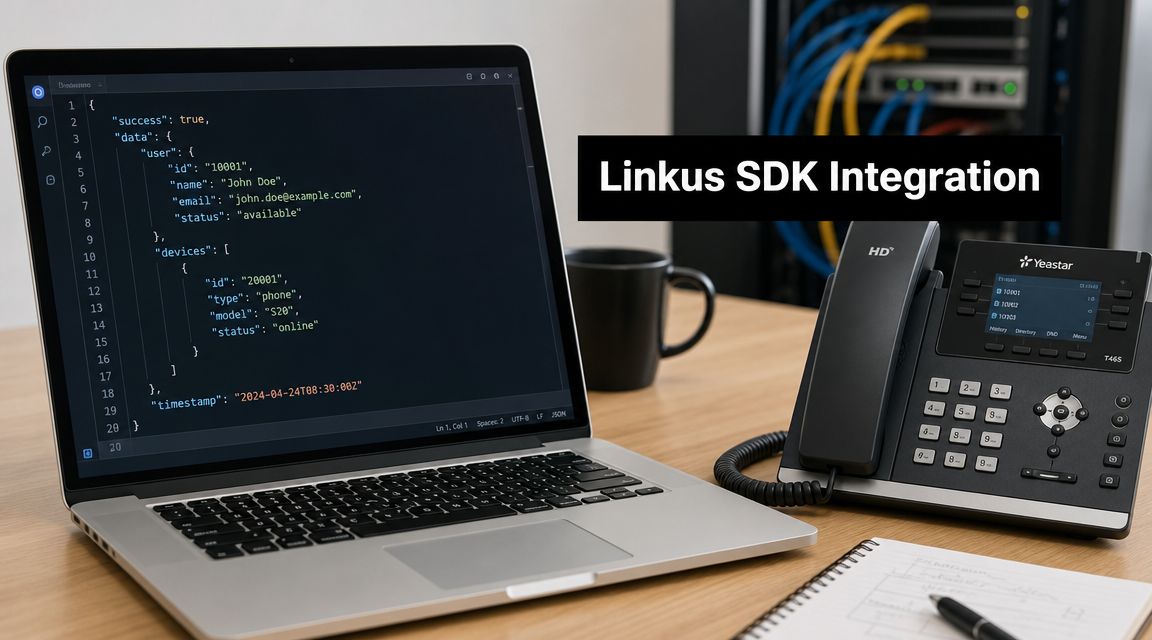
Your telephony rollout is nearly done. Linkus is working, users can place and receive calls, and then a significant blocker appears. The business runs a CRM that Yeastar doesn't list as a ready-made connector, and nobody wants agents copying numbers, pasting names, and logging calls by hand.
That's where many organizations realize the hard part isn't buying the PBX. It's making the PBX fit the operating model they already have.
A proper Linkus SDK Yeastar CRM custom integration is achievable, but it isn't a checkbox exercise. Yeastar's own documentation makes that clear. Custom CRM integration requires basic coding skills, REST API credentials, and configuration work across items such as templates, user association, contact mapping, and call journaling in the software edition guide's documented workflow (Yeastar custom CRM integration guide PDF). That's exactly why implementation readiness matters more than another shallow setup article.
Bridging the Gap Between Yeastar and Your Custom CRM
The usual situation looks the same across sectors. Sales or support already depend on a CRM that matches their process. It may be industry-specific, locally customised, or too embedded in daily operations to replace. Then Yeastar arrives as the telephony layer, and suddenly there's a gap between calls and customer records.
That gap shows up in wasted effort. Agents search manually for callers. Supervisors lose clean activity history. Managers ask why the CRM doesn't reflect what happened on the phone. The answer usually isn't that the platform can't do it. It's that nobody planned the integration as an actual project.
What teams often underestimate
A lot of guides stop at menu clicks. They don't deal with the build effort:
- Ownership problems: Telephony admins often control Yeastar, while CRM admins control the API, and neither side owns the full workflow.
- Schema mismatch: The CRM may store phone numbers, contact names, lead records, and activity logs in ways that don't align neatly with Yeastar's expected mappings.
- Maintenance burden: The first version may work, then fail when an auth token policy changes or a CRM field gets renamed.
- Security decisions: Someone has to decide how credentials are stored, rotated, and restricted.
Practical rule: If your integration depends on one person's memory of “how we configured it”, it isn't production-ready.
Outside application design experience proves valuable. Teams planning API-driven telephony workflows often benefit from reviewing patterns used in MTechZilla custom software expertise, especially when the CRM side includes custom objects, non-standard fields, or internal approval rules.
For organisations evaluating the telephony platform itself, it also helps to understand how the broader Yeastar phone system deployment model fits into custom CRM work. The telephony stack may be stable already. The integration layer is usually where project risk lives.
What a good outcome actually looks like
A successful build does more than make pop-ups appear. It gives users a dependable flow:
- a call arrives
- the platform identifies the user correctly
- the CRM returns the right customer record
- Linkus presents context quickly
- call activity lands in the correct place afterwards
That's the standard worth aiming for. Not a demo. A maintained operating workflow.
Understanding the Custom Integration Architecture
A custom Linkus and CRM integration succeeds or fails in the handoff points. The PBX raises an event. The CRM has to recognize the caller. Linkus has to show useful context fast enough that the user trusts it. If any one of those steps is loosely defined, the build works in a demo and becomes unpredictable in production.

Yeastar's custom CRM model is based on a REST API template that can connect to CRM platforms exposing suitable endpoints. Yeastar also defines where this feature is supported: P-Series Cloud Edition with Enterprise Plan or Ultimate Plan, and Software Edition running firmware 84.18.0.102 or later, as listed in Yeastar Custom CRM Template requirements and support. That support matrix matters early, because architecture decisions are different if you are building on a supported Yeastar cloud PBX deployment versus trying to retrofit around version or plan limits.
The parts of the architecture that actually carry the project
At build level, there are three systems to account for, and each one can fail in its own way.
| Component | Primary role | Common failure points |
|---|---|---|
| Yeastar P-Series PBX | Generates call events and associates them with users, extensions, and call states | Incorrect user mapping, unsupported feature assumptions, event timing mismatches |
| Linkus client | Displays caller context and triggers user-facing CRM actions | Empty pop-ups, wrong record display, client-side expectations that the API cannot satisfy |
| CRM REST API | Returns contact data and accepts call activity updates | Token expiry, inconsistent search results, field mismatches, duplicate record handling |
The PBX is the event source. Linkus is the presentation layer. The CRM API is the decision point for data quality.
That split sounds simple. It rarely stays simple once real customer data, role permissions, and CRM custom objects enter the picture.
A lot of the engineering effort sits between the platforms, not inside them. Teams that already understand software integration for businesses usually recognize this quickly. The API contract, error handling, retry logic, and field mapping rules determine whether the integration is maintainable six months later.
How the request flow works under real conditions
A standard inbound lookup usually follows this sequence:
- Yeastar receives the call event and identifies the target extension, agent, or queue path.
- The custom CRM template sends a lookup request to the CRM using the caller number or another chosen identifier.
- The CRM API returns a match, multiple matches, or no match based on search rules and data quality.
- Linkus displays the result if the response format matches what the template expects.
- The integration can post the outcome back as a call journal, note, or activity record if that part of the workflow is enabled.
In production, the weak spots are usually predictable. Number formatting is inconsistent between systems. The CRM search endpoint returns multiple records for the same business number. Access tokens expire during the day because refresh logic was never finished. A call pop-up arrives, but the user cannot open the linked record because CRM permissions were tested only with an admin account.
These are architecture issues, not minor configuration mistakes.
What the template does, and what it does not do for you
The template handles the framework for calling CRM endpoints and passing results back into the Linkus experience. It does not remove the need to define search logic, authentication method, field mapping, fallback behavior, or logging. Those choices belong to the implementation team.
For example, caller lookup sounds straightforward until you decide what should happen when one number matches a lead, a contact, and an old archived account. The integration needs a rule. Pick the newest record. Prefer active accounts. Show a selection list. Reject ambiguous results. Any of those can work, but one of them has to be chosen and documented.
The same applies to call journaling. Writing every call back to the CRM gives better activity history, but it also introduces duplicate risk, API volume, and data cleanup work if users transfer calls often or if queue events are logged more than once.
The architecture should be designed for failure, not just the happy path
Reliable integrations assume that some requests will fail and define what users see when they do. If the CRM API times out, Linkus should fail cleanly instead of hanging. If the token is invalid, the admin should get a log entry that points to authentication instead of a generic lookup failure. If the CRM returns an unexpected field type after a schema change, the integration should surface the problem quickly enough that support can trace it.
That is the difference between a feature connection and an operational system.
Before touching configuration, it helps to watch the platform behaviour in context:
Your Pre-Integration Readiness Checklist
Most integration delays happen before the first API call. Someone is waiting on credentials. The CRM team hasn't confirmed the search endpoint. Users haven't been mapped. The PBX side is ready, but the data contract isn't.
That's why readiness work should be treated like a pre-flight check, not admin overhead.

What to gather from the Yeastar side
Start with the platform basics and user scope.
- Platform eligibility: Confirm the deployment meets the required Yeastar edition and plan level for custom CRM work.
- User list: Identify which extensions, departments, or agents need CRM integration.
- Feature scope: Decide whether you only need contact lookup, or also contact creation and call journaling.
- Admin access: Make sure the person building the template has the required permissions in the Yeastar management interface.
- Pilot users: Pick a small set of users whose workflows are stable enough for early validation.
If you skip user scoping, the project expands too quickly. Build for everyone on day one and you'll spend most of your time debugging edge cases that should have been excluded from the pilot.
What to gather from the CRM side
At this juncture, readiness becomes technical.
- API documentation: You need the exact endpoints, request methods, auth model, and response examples.
- Credentials: Secure API keys, bearer tokens, OAuth credentials, or whatever the CRM requires.
- Search logic: Confirm how the CRM expects phone number matching. E.164, local format, partial match, and formatted strings all behave differently.
- Object model: Decide whether call journals belong on contacts, leads, cases, tickets, or a custom activity object.
- Field mapping list: Write down the exact target fields for caller name, phone number, owner, notes, status, and timestamps.
Readiness check: If the CRM team can't show you a successful manual API query for a contact lookup, you're not ready to build in Yeastar yet.
The people who need to be involved
This project usually fails when one team is missing.
| Role | Why they matter |
|---|---|
| PBX administrator | Controls Yeastar setup and user assignment |
| CRM administrator | Owns objects, fields, permissions, and workflows |
| API-capable developer | Handles auth, payload logic, and data mapping |
| Operations owner | Confirms what users actually need in daily work |
The build itself may be done by one person. The decisions can't be.
A practical checkpoint is to collect sample numbers, sample contact records, and sample expected journal entries before anyone opens the CRM template editor. When those examples exist, mapping becomes deliberate instead of guesswork.
Building Your Custom CRM Integration Step by Step
The Yeastar side follows a consistent implementation pattern. In the Integrations > CRM area, the standard sequence is to define the custom template, configure general settings, set user association, add authentication and headers, map contact search for sync and call pop-up, then optionally add contact creation and call journaling (Yeastar custom CRM integration overview).
The menu path is simple. The quality of what you enter there is what decides whether the project works.
Start with the template contract
Create the template only after you've written down the CRM behaviours you need. Don't configure a field because the option exists. Configure it because a real user workflow needs it.
A practical first-pass scope often looks like this:
- Inbound contact lookup
- Screen pop or contact context
- Outbound or inbound call journaling
- Unknown caller contact creation, if the CRM team agrees on where those records should go
That order matters. Contact lookup gives you the fastest proof that the template, auth, and field mapping are functioning. Journaling comes later because it usually touches more fields and business rules.
Authentication and headers
Authentication is where many integrations stall. Some CRMs accept a simple API token in the header. Others require OAuth flows, token refresh logic, or more restrictive application registration.
Your job in Yeastar is to pass the credentials exactly as the CRM expects them. That means matching:
- Header names
- Bearer token format
- Content type
- Any custom request headers
- Method-specific requirements
A generic request pattern might look like this:
{
  "headers": {
    "Authorization": "Bearer <token>",
    "Content-Type": "application/json"
  }
}
The syntax is the easy part. The harder part is lifecycle control. If the token expires and nobody owns renewal, the integration appears to “randomly” fail.
User association is not clerical work
User association tells Yeastar which PBX user corresponds to which CRM user context. Treat this carefully. If the wrong user mapping is applied, call journals may land under the wrong owner or fail permission checks altogether.
Common mistakes include:
- Display-name matching instead of immutable identifiers
- Assuming all agents have matching accounts in both systems
- Ignoring shared queues and delegated workflows
When possible, map using stable, unique identifiers rather than names users can edit.
Contact search and screen pop behaviour
This is the heart of the build. You define how Yeastar calls the CRM API and where it should read the returned values.
A simplified CRM response might look like this:
{
  "data": [
    {
      "id": "abc123",
      "full_name": "Aisha Rahman",
      "phone": "+971500000000",
      "company": "North Gate Logistics"
    }
  ]
}
From there, you map the JSON path that identifies the record and the values Linkus should use for contact presentation. If the CRM has more nested values, your JSON path needs to match that structure exactly.
Small mistakes have visible consequences:
- Wrong phone path means no match
- Wrong name path means a blank or broken pop-up
- Wrong record URL pattern means users open the wrong CRM page
For teams comparing CRM-driven telephony patterns in broader customer operations, the workflow is similar to what appears in custom CRM integration with XCALLY, where call context only becomes useful when data mapping reflects real operational objects.
Contact creation and call journaling
These two features make the integration operational rather than cosmetic.
Contact creation should only be enabled when the CRM owner has approved the record type, owner assignment, and minimum required fields. Otherwise you'll create low-quality records that users immediately distrust.
Call journaling needs an equally careful design. Decide what belongs in the journal entry:
- direction
- status
- start and end time
- duration
- agent identity
- notes or activity title
- recording reference, if your process permits it
A simple journal payload might look like this:
{
  "subject": "Inbound call",
  "phone": "+971500000000",
  "direction": "inbound",
  "agent": "ag***@*****le.com",
  "status": "answered"
}
Don't overbuild the first version. A lean, accurate journal is better than a rich one full of null fields, broken references, or rejected writes.
Keep the first live build boring. Reliable lookup and reliable journaling beat a flashy feature list every time.
Adapting the Template for Popular CRMs
A team can have the Yeastar template configured in an afternoon and still be weeks away from a production-ready CRM integration. The template gives you a starting structure. The main effort sits in the CRM's authentication model, object rules, field governance, and the support burden you inherit after go-live.

Salesforce, Microsoft Dynamics 365, and smaller REST-first CRMs can all support screen pop, journaling, and contact creation. The difference is how much control the CRM imposes before those features become reliable. As noted earlier, Yeastar already supports deeper CRM workflows in major platforms. That is useful as a reference point, but custom projects still succeed or fail on the details your own team has to maintain.
Salesforce versus Dynamics versus a generic token-based CRM
| CRM type | Authentication style | Typical complexity | Main caution |
|---|---|---|---|
| Salesforce | Usually OAuth-based | Higher | Object model, permissions, and API limits need careful setup |
| Microsoft Dynamics 365 | Often tenant-aware application auth | Higher | Entity names, security roles, and environment differences can block writes |
| Generic REST CRM | Often API key or bearer token | Moderate | Simpler auth, but uneven documentation and schema design create edge cases |
The template does not remove these differences. It exposes them.
Salesforce
Salesforce gives teams a mature API and a lot of ways to model the same business process. That flexibility is useful for sales and service teams, but it creates integration risk if nobody owns the data model. I have seen one project log calls to Tasks, another to custom Activity objects, and a third split behaviour by department. All three worked technically. Only one was easy to support six months later.
A clean Salesforce build usually starts with a few decisions made early:
- choose one lookup target first, usually Contact or Lead
- define one write-back object for call activity
- confirm which fields are required in production, not just in sandbox
- verify the connected app scope and field-level permissions with the Salesforce admin
Common failure points are not dramatic. A field gets renamed. A validation rule is added after launch. The sandbox accepts a payload that production rejects. Those are the issues that create ticket noise and user mistrust.
Microsoft Dynamics 365
Dynamics 365 is less forgiving when ownership, entity relationships, or security roles are unclear. The integration can be technically correct and still fail because the application user cannot write to the selected activity table, or because the phone number you search lives on a related record your query does not touch.
A workable Dynamics design usually includes:
- one agreed entity for contact matching
- a documented rule for whether calls attach to Contact, Account, Case, or Opportunity
- security roles tested with the integration identity
- a clear distinction between dev, test, and production environments
Teams often underestimate environment drift in Dynamics. Entity customisations, option sets, and permissions can differ enough between tenants to break a deployment that looked fine in testing.
A heavily customised CRM can still be integration-friendly if the customisation is documented and controlled.
Generic API-key CRM
Smaller or vertical CRMs are often faster to connect because authentication is lighter and the API surface is narrower. That does not automatically make them easier to operate. Many of these systems have acceptable read endpoints and weak write endpoints, or they return inconsistent search results once the dataset grows.
Check four things before committing to the build:
- whether phone search is exact, partial, or normalised
- whether call logs can be written as structured records, not plain notes
- whether the API returns stable record IDs
- whether rate limits, timeout behaviour, and error responses are documented
This is also the point where testing discipline matters. A good practical guide to API testing helps teams verify request shapes, error handling, and edge cases before users ever see the integration.
The practical adaptation rule
Choose the CRM path based on API maturity, internal ownership, and change control. Brand recognition is not a reliable predictor of project effort.
A well-documented vertical CRM with stable endpoints can be simpler to support than a major platform with unclear admin ownership and frequent schema changes. The Yeastar template is flexible enough for all three categories. The deciding factor is whether your team can keep the integration stable after the first successful demo.
Testing Deployment and Security Best Practices
A Yeastar CRM integration usually looks fine in a demo long before it is ready for production. The first real test comes on a busy day. An agent answers a call, the contact pop does not appear, the call still has to move, and nobody knows whether the problem sits in Yeastar, the CRM API, the mapping, or a credential that expired overnight. Good testing prevents that situation. Good deployment discipline makes it recoverable when it still happens.

Yeastar's own setup material highlights a key issue. These projects usually fail on configuration detail, field mapping, and incomplete validation, not on headline platform capability. The practical standard is simple. Prove contact lookup, screen pop behaviour, and call journaling with real records before rollout, not just a saved template. See Yeastar setup guidance for CRM integration features.
A testing sequence that works in production
Run the checks in the order support teams will need later.
Authentication and permission test
Send the exact request Yeastar will send. Confirm the CRM accepts the method, headers, and scope, and verify that the account can both read contacts and write activities if your design requires both.Deterministic contact lookup
Use one number with one known expected result. If the CRM returns duplicates, partial matches, or inconsistent formatting, stop and fix the search logic before testing anything else.No-match and edge-case handling
Unknown callers are normal. Test blank results, international number formats, short extensions, and malformed input so users are not surprised by behaviour that only appears outside the demo dataset.Write-back validation
Complete test calls and inspect the CRM record itself. Check the target object, owner assignment, timestamps, direction, disposition, and any custom fields. A created log is not enough if it lands in the wrong place or without usable metadata.Short pilot with observable users
Pick a small group of agents and supervisors who follow defined workflows and report clearly. Watch what happens for several business cycles, including missed calls, transfers, callbacks, and queue activity.
For the API side, keep one shared reference for both the telephony team and the CRM team. This practical guide to API testing is useful when the discussion needs to move from assumptions to request and response evidence.
Security controls that reduce future support pain
Security decisions here also affect maintenance. That is the part many quick tutorials skip.
- Use least-privilege credentials. Give the integration access only to the endpoints and objects it needs.
- Keep production separate from testing. If the CRM offers a sandbox or development tenant, use it for early validation and reserve production for controlled verification.
- Assign token ownership. One named owner should handle renewal dates, rotation, revocation, and incident response.
- Record every embedded dependency. Document callback URLs, object IDs, user mappings, custom field names, and any hard-coded assumptions in the template.
- Limit exposed personal data. Show only the fields an agent needs during a live call.
- Protect logs. Debug logs often contain record identifiers, phone numbers, and request payloads. Store them with the same care as the integration credentials.
If a CRM admin suggests using a broad admin token to save time, reject that approach. It makes early testing easier and every later audit, ownership handover, and breach review harder.
Deployment discipline beats rebuilds
The cleanest rollouts use stages, success criteria, and rollback steps that someone other than the original builder can follow.
| Deployment stage | What to prove |
|---|---|
| Builder testing | Requests authenticate, search returns predictable records, and journals write to the correct object |
| Controlled pilot | Agents can use the integration during normal work without lookup gaps or bad activity records |
| Operational handover | Support staff can read logs, validate credentials, and isolate whether the fault is in Yeastar, the CRM, or the network |
| Broader rollout | New teams can be added through a documented process without changing core mappings each time |
That handover point matters more than teams expect. A custom integration that only one engineer understands is expensive to keep alive.
Cloud Move is one example of a managed deployment model for organisations that need telephony, contact centre workflows, and CRM integration as part of the same operating stack across platforms such as Xcally, Microsoft Teams Voice Direct Routing, and CRM-linked communication environments. That approach can reduce coordination overhead, but it does not remove the need for clear ownership, testing evidence, and change control inside your team.
If the team cannot explain how it tests mappings, rotates credentials, and rolls back a failed release, the integration is still in build phase.
Troubleshooting Common Integration Pitfalls
When this integration fails, the symptoms are usually obvious. The hard part is tracing them to the right layer.
Authentication failures
If contact lookup suddenly stops and journaling also fails, start with auth. Expired tokens, changed secrets, missing scopes, or altered CRM app permissions are common causes.
Typical symptom: requests that used to work now return permission or unauthorised errors.
Direct fix: revalidate credentials outside the template first, then confirm the exact header format and token lifecycle owner.
Data mapping problems
These problems look like partial success. The pop-up appears, but the wrong name shows. The journal gets created, but key fields are empty. Contact creation works for some users and fails for others.
Root causes usually include:
- incorrect JSON path
- phone number format mismatch
- wrong target object field
- bad user association
The fastest fix is to compare one successful API response with the Yeastar field mappings line by line. Don't troubleshoot from memory.
Network and operational issues
Sometimes the API is fine and the template is fine, but production still behaves inconsistently. That often points to environmental controls, timing issues, or unsupported assumptions in the CRM process.
Check these first:
- Firewall or outbound policy changes
- CRM-side throttling or workflow rules
- User permission differences between pilot and production
- Record creation rules requiring fields your payload doesn't send
The quickest teams don't guess. They keep a small library of known-good test numbers, sample payloads, and expected CRM outcomes. That turns troubleshooting from a blame exercise into a repeatable engineering task.
If your team needs help turning custom telephony and CRM requirements into a supportable deployment, Cloud Move can assist with Yeastar, CRM-linked call workflows, and broader contact centre implementation planning across cloud, on-premise, or hybrid environments.