

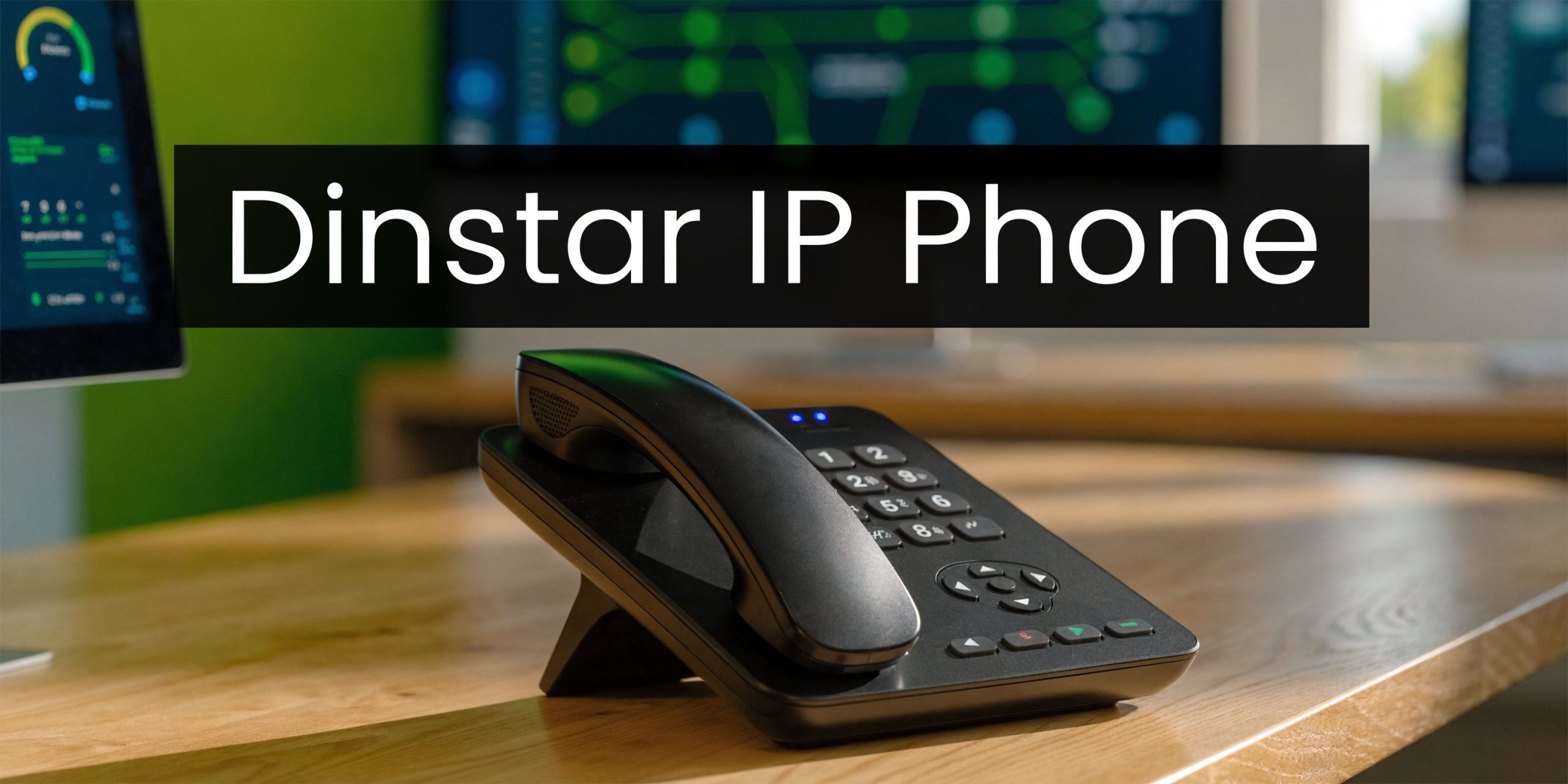
Your team isn’t complaining about the phone system every hour. That’s what makes the problem expensive.
Instead, they repeat themselves on calls. Supervisors miss queue context because the desk phone, CRM, and calling platform don’t line up. A branch office sounds acceptable in the morning, then patchy in the afternoon. Someone in operations says the handsets are “good enough”, until a customer escalation exposes the weak point.
That’s where a modern dinstar ip phone deployment earns its place. Not as a standalone handset refresh, but as part of a UCaaS and CCaaS stack built around Teams Voice, Zoom Phone, CRM workflows, and local carrier realities in the AE region. The hardware matters. The integration matters more.
Why Your Business Needs to Rethink Its Desk Phones in 2026
A familiar pattern shows up in office assessments. The business has already moved parts of communication into the cloud, but the desk phones are still behaving like isolated endpoints. Calls work, until they don’t. Audio sounds acceptable, until network load rises. Staff switch between the phone, laptop, and CRM because the experience was never designed as one system.
That gap gets wider as organisations add more channels. Voice still carries the highest operational weight in sales, support, logistics, and regulated customer service. If the phone on the desk can’t keep pace with the cloud platform behind it, users feel the friction on every call.

The practical reason to revisit desk phones in 2026 is performance. Modern IP phones with Gigabit Ethernet ports can reduce VoIP packet transmission jitter below 20ms, which directly helps remove choppy audio and dropped-call behaviour on faster business networks, as documented in the Dinstar G240 and G240P datasheet.
What changes when the handset is part of the platform
A good desk phone should do more than register to SIP and ring reliably.
- It should fit cloud workflows: Calls, transfers, queue states, and user presence need to align with the wider communications stack.
- It should reduce support effort: Provisioning, firmware handling, and user changes shouldn’t become a manual burden.
- It should support better operating habits: Teams that follow strong internal communication best practices get more value from their telephony investment because escalation paths, ownership, and call handling rules are already organised.
Practical rule: If your business has modernised calling but kept an old endpoint strategy, you haven’t finished the migration.
Dinstar phones are worth attention because they sit in a useful middle ground. They’re structured enough for enterprise telephony, but flexible enough to slot into mixed estates where one department needs straightforward desk calling and another needs contact centre functionality.
Understanding the Core Technology in Dinstar IP Phones
Buying mistakes often happen when teams compare handsets like they’re office accessories. They aren’t. A desk phone is a network endpoint, a voice device, a user interface, and in many environments, a compliance-sensitive tool.

SIP is the call control layer
SIP is the signalling standard that tells systems how to set up, manage, and end calls. In plain terms, it’s the language your phone uses to talk to the PBX, session border, or cloud calling platform.
If your stakeholders need a clearer primer, this guide on what Session Initiation Protocol means in business telephony is a useful reference.
In real deployments, SIP compliance matters because it gives you options. It lets a Dinstar handset fit into hosted PBX, on-premise IP PBX, Teams Direct Routing environments, and Zoom-oriented architectures without locking you into one narrow use case.
VoIP is transport, not magic
VoIP turns voice into data and sends it across your network. That sounds simple, but call quality depends on how well the endpoint, switch, router, QoS policy, and provider all behave.
Many organisations oversimplify this point. They assume that because bandwidth is available, call quality will be fine. In practice, poor endpoint hardware creates a mediocre experience even on a capable network.
HD voice matters more than most buyers think
Dinstar IP phones support HD Voice codecs such as Opus and G.722, which are important for clearer conversations and useful in multichannel contact centre environments where agents spend long periods on live calls.
That improvement isn’t about sounding better alone. It reduces repetition, lowers listener fatigue, and helps in environments where staff are switching quickly between customer interactions.
Better audio changes operational behaviour. Agents ask customers to repeat less often, supervisors hear issues sooner, and call reviews become easier to interpret.
The desk phone is still a user interface
Many cloud-first telephony discussions ignore this point. Users still need a dependable physical interface for transfer keys, visible line state, headset use, hold, mute, and monitored extensions.
When a handset gets these basics right, adoption is smoother. When it gets them wrong, people bypass the phone and work around the system.
Here’s the practical shortlist non-technical managers should keep in mind:
- SIP gives interoperability
- VoIP handles transmission
- Codecs shape voice clarity
- The handset interface affects speed and accuracy
- Provisioning and security decide how manageable the estate becomes
Exploring Universal Features Across the Dinstar Family
A useful way to assess Dinstar is not by starting with the flagship model. Start with what the product family does consistently.
Across the range, Dinstar phones are designed to fit managed business telephony rather than consumer-style internet calling. That difference shows up most clearly in deployment, security posture, and operational consistency.
Provisioning is where rollouts succeed or fail
For a single site with a handful of users, almost any SIP phone can be made to work. That is not the primary test.
A more important test is whether you can ship phones to multiple locations, assign users, push configuration changes centrally, and replace failed hardware without rebuilding the endpoint from scratch. Dinstar’s family approach is useful here because businesses can mix simpler models and more advanced models while keeping management practices consistent.
Where deployments become messy, it’s usually because teams underestimate:
- Template discipline: Naming conventions, button layouts, and firmware standards need to be decided early.
- Role-based configuration: Reception, supervisors, agents, and back-office users shouldn’t all receive the same key map.
- Peripheral planning: Headsets, expansion modules, and PoE switching need to be specified before rollout, not after.
Security can’t be treated as optional
In finance, healthcare, legal services, and logistics, voice isn’t just a convenience channel. It can involve sensitive customer data, transaction details, or regulated records of interaction.
That means the phone estate should sit inside a broader security model that includes encrypted signalling and media where required, controlled provisioning, and disciplined change management. A Dinstar phone may be the visible endpoint, but security outcomes depend on the full architecture around it.
A secure telephony deployment doesn’t come from buying a “secure phone”. It comes from aligning endpoint settings, network policy, provisioning controls, and recording rules.
Shared strengths matter more than spec-sheet theatre
It’s easy to get distracted by display size or key count. Those matter, but they aren’t universal selection criteria.
Durable buying questions include:
| Operational area | What to verify |
|---|---|
| Deployment | Can the phone be provisioned predictably across sites? |
| User roles | Does the range cover basic users and advanced users without forcing one model on everyone? |
| Security | Can the deployment align with your organisation’s encryption and access policies? |
| Supportability | Can IT replace, reset, and reprovision devices without excessive manual work? |
Dinstar’s broader family, including models such as the C60U, C64G, and G240 series, makes that role-based deployment approach practical because businesses can mix simpler models and more advanced models while keeping management practices consistent.
Choosing Your Dinstar Model SMB vs Enterprise
Most buyers need direct guidance on this. Not every user needs a high-end set, and not every office should standardise on the cheapest model.
The right choice depends on call complexity, screen usage, CRM reliance, extension monitoring, and whether the user sits inside a contact centre workflow or a general office workflow.
When the G240 series is the right fit
The G240 series suits businesses that want a capable business phone without overbuying. It’s a strong fit for small to mid-size offices, branch users, operations teams, account managers, and standard admin roles that need dependable daily telephony with enough flexibility for multi-line work.
In the verified product data, the G240 series is positioned with dual-port Gigabit Ethernet, support for up to 6 SIP accounts, and 5-way conferencing.
That translates well in environments where users need:
- Multiple registrations or line appearances: Useful for shared functions, departmental numbers, or split inbound responsibilities.
- Clean desk deployment: Dual-port Ethernet helps when the phone and workstation share the same network drop.
- Practical collaboration: Five-way conferencing is enough for many routine office escalations and internal reviews.
For many AE organisations, the G240 level is where value starts to make sense. It covers the needs of most desk-based users without turning every seat into a contact centre console.
When the G500 series earns the higher spend
The G500 series is for heavier-duty roles. Receptionists, supervisors, team leads, high-volume sales staff, and contact centre users benefit from the bigger visual workspace and the higher line density.
The verified data states that the G500 series supports 20 SIP accounts, includes a 5-inch colour display, and provides a USB port for expansion modules. Those expansion modules can add up to 60 extra programmable keys.
That matters when users need rapid access to:
- monitored extensions
- queue and colleague states
- speed dials
- transfer targets
- feature keys tied to workflows or reporting access
If a supervisor is constantly flipping screens or memorising extension ranges, the handset isn’t supporting the job.
The G500 family is also the more natural option when the phone is expected to sit close to CRM-led work. A larger display and expanded key capacity make it easier to support fast-paced, visible call handling.
Dinstar IP Phone Model Comparison
| Feature | Dinstar G240 Series (SMB/Standard) | Dinstar G500 Series (Enterprise/Contact Center) |
|---|---|---|
| Best fit | General office users, branch teams, admin, operations | Supervisors, reception, sales desks, contact centre roles |
| SIP capacity | Up to 6 SIP accounts | 20 SIP accounts |
| Conferencing | 5-way conferencing | 10-way conferencing |
| Network | Dual-port Gigabit Ethernet | Enterprise-grade platform for high-capacity use |
| Display | Business display suited to daily telephony | 5-inch colour display |
| Expansion | Suitable for standard key requirements | USB support for expansion modules |
| Extra programmable keys | Standard user profile | Up to 60 extra programmable keys through sidecar expansion |
For readers comparing broader endpoint categories, this article on IP VoIP phone selection for business environments is a useful companion.
A simple selection rule
Choose the G240 if the user mainly needs reliable calling, transfer, hold, conference, and moderate multi-line handling.
Choose the G500 if the user lives in queues, monitors many colleagues, depends on visible line state, or needs expansion capacity at the desk.
What doesn’t work well is putting enterprise supervisor hardware on every seat, or trying to force a standard office model into a reception or contact centre leadership role.
Integrating Dinstar Phones into Your Cloud Ecosystem
A phone can be SIP-compatible and still be awkward in production. That’s the point many generic guides skip.
In the AE region, the challenge often isn’t whether a Dinstar phone can register. It’s whether the full stack behaves once you connect cloud calling, local carrier conditions, policy requirements, and user workflows.

Compatibility is not the same as readiness
Dinstar IP phones are generally compatible with platforms such as Microsoft Teams Direct Routing and Zoom Phone BYOC, but businesses in the AE region still need to deal with region-specific issues such as WebRTC interworking latency and the need for VoNR optimisation on Etisalat and du 5G environments, as noted in Dinstar’s IP phone use case page.
That’s the practical distinction between lab compatibility and operational readiness.
A handset may work well in a clean SIP environment, then behave differently when the actual production path includes browser-based agents, SBC policy, mobile fallback scenarios, mixed WAN conditions, and local compliance controls.
Where deployments usually go wrong
Three assumptions create much of the trouble:
- “Teams support means zero work.” It doesn’t. Direct Routing design still depends on dial plans, provisioning logic, endpoint behaviour, and user role mapping.
- “Zoom BYOC is just another SIP registration.” It isn’t that simple once you add recording policy, CRM events, and queue workflows.
- “If call quality is fine on laptops, desk phones will be fine too.” Different endpoints react differently under the same network conditions.
That’s also where adjacent infrastructure matters. In some estates, Dinstar GSM gateways and SIP phones are deployed together to support fallback routing or mixed voice strategies. This guide to Dinstar GSM deployment options in cloud telephony environments is helpful if your architecture includes both mobile and SIP paths.
What a cleaner AE deployment looks like
For Teams and Zoom environments, the most stable approach is to treat the phone as one endpoint inside a governed communications design.
That means checking:
- Carrier path behaviour across Etisalat and du conditions
- Provisioning standards for user role, firmware, and feature keys
- CRM alignment so that call activity, screen pops, and queue behaviour don’t break user flow
- Compliance configuration for recording, routing, and policy enforcement
Later in the evaluation cycle, a live visual can help stakeholders understand the device layer better:
The phone should be the easiest part of the user’s day. If it becomes the place where cloud complexity shows up, the deployment wasn’t designed tightly enough.
Dinstar IP Phones in Action Real-World Use Cases
An effective way to judge a dinstar ip phone is to look at where different models fit, not to ask which single model is “best”.
Dinstar’s range, including the C60U, C64G, and G240 Series, allows businesses to tailor deployments from straightforward desk telephony in one department to more advanced call handling in another, all within a unified management framework, as shown in the C64G and C64GP quick guide.

Retail branches need consistency, not excess complexity
A multi-site retailer does not typically need every counter or back-office seat equipped like a contact centre supervisor desk.
In that environment, a simpler Dinstar rollout works well. Store managers need reliable inbound answer, fast transfers to stock or delivery teams, and clear internal calling between sites. Frontline users benefit most from handsets that are easy to learn and easy to replace.
The practical win is standardisation. One hardware family, one management approach, different endpoint levels by role.
Logistics and service teams need context at speed
A mid-sized logistics business has a different problem. Dispatch, customer service, and account teams often need faster screen context, cleaner transfers, and more visibility into extension states.
That’s where G-series handsets make sense. Agents can work from queue-driven flows while supervisors monitor users more actively from a more capable desk setup. In those environments, the handset isn’t just for talking. It supports escalation rhythm, team coordination, and customer updates during busy periods.
Compliance has to be built into the use case
Any voice deployment tied to service, finance, or support also needs a clear policy on recording, disclosure, and retention.
If your business records calls, the legal side shouldn’t be left to assumption. This overview of legal considerations for call recording is a helpful starting point before you finalise workflows.
Many telephony mistakes look technical at first. They’re often policy mistakes that only become visible when the system goes live.
Strong Dinstar deployments are the ones where hardware role, user behaviour, and process governance all line up.
Your Next Step Toward a Modern Communication Strategy
A desk phone refresh only pays off when it solves operational problems. Better audio, cleaner provisioning, role-appropriate hardware, and cloud alignment are what make the upgrade worthwhile.
That’s why the right dinstar ip phone decision usually starts with three questions. Which users need standard office telephony. Which users need advanced line visibility and key expansion. Which sites or teams need tighter alignment with Teams, Zoom, CRM workflows, and local carrier realities in the AE region.
The hardware range is broad enough to support that segmentation. The harder part is deployment discipline. If provisioning, network policy, user roles, and compliance rules aren’t defined early, even good phones can end up in a messy environment.
The organisations that get the best result are generally the ones that treat the handset as part of a wider communications design, not as a one-off device purchase.
Frequently Asked Questions About Dinstar IP Phones
Are Dinstar IP phones suitable for regulated industries
Yes, they can be, provided the deployment is designed.
The phone itself is only one part of the equation. Businesses in finance, healthcare, and other regulated sectors should evaluate encryption settings, provisioning control, recording policy, access management, and retention processes as one package. The handset needs to fit that framework, not replace it.
Can I use standard business headsets and PoE with Dinstar phones
In many business deployments, yes. Dinstar desk phones are built for office use and are frequently deployed in environments that rely on structured cabling, switch-based power, and standard desk accessories.
The key is to validate the exact model, headset requirement, and user role before bulk rollout. Reception and contact centre users often need different peripheral choices than general office users.
Are Dinstar phones good for both small offices and contact centres
Yes. That’s one of the stronger points of the range.
Simpler models suit branch offices, admin desks, and routine telephony. Higher-tier options suit supervisors, high-volume users, and teams that need more visible line handling. That makes it possible to standardise on one vendor family without forcing the same phone on every seat.
Will a Dinstar phone work with Teams or Zoom in the AE region
Generally, yes, but success depends on the architecture.
As covered earlier, compatibility doesn’t remove the need for good design. Teams Direct Routing, Zoom Phone BYOC, local carrier conditions, and compliance requirements all affect the final result. AE deployments need extra care around latency behaviour, policy, and role-based configuration.
Is cloud provisioning enough on its own
No.
Provisioning helps, but it doesn’t replace rollout discipline. You still need a device plan, role templates, firmware governance, test users, and a support process for moves, adds, and changes. The phone estate performs best when operational ownership is clear.
If your business is ready to replace patchy desk telephony with an integrated voice environment, Cloud Move can help you assess the right Dinstar models, map them to Teams or Zoom architecture, and design a rollout that fits your users, compliance needs, and AE carrier environment.