

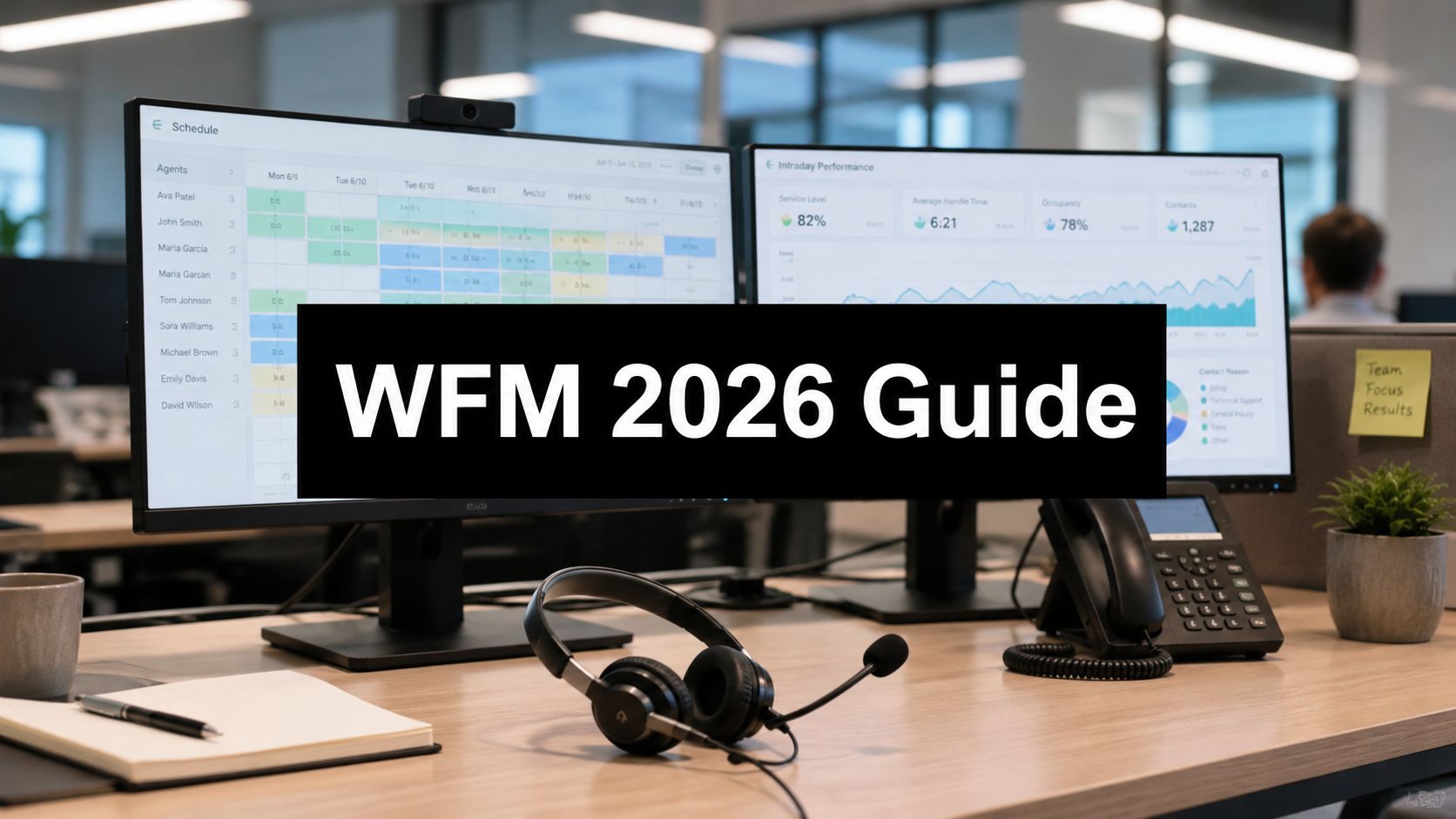
Monday at 9:07 a.m., service levels drop, two agents call in sick, chat volume jumps after a campaign, and supervisors start patching the day by hand. One is in Excel. Another is chasing shift swaps in WhatsApp. Finance sees overtime rising. Operations sees customer wait times rising. Both are looking at the same problem.
Contact center workforce management software gives leaders a way to run the operation with discipline instead of reacting hour by hour. It connects forecasting, scheduling, intraday adjustments, adherence, and leave planning in one system so staffing decisions reflect real demand, not stale assumptions. That matters because workforce management is not just a planning tool. It is how you protect margin, hold service levels, and stop avoidable agent fatigue before it turns into attrition.
For AE region contact centres, the operating environment is particularly complex. Demand moves across voice, chat, email, social, and back-office work. Teams are often hybrid, multilingual, and spread across locations. Add local labour expectations, customer experience targets, and the pressure to control cost, and manual planning breaks fast. A proper platform helps you set rules, assign the right skills at the right time, and make changes without creating chaos.
If you are still treating WFM as a digital rota, you are buying too low. The better approach is to evaluate it as part staffing engine, part risk-control layer, and part retention strategy. Strong forecasting reduces overstaffing and understaffing. Fairer schedules improve agent trust. Better intraday control cuts expensive last-minute fixes. If your team is also reviewing workforce scheduling software for contact centers, make sure the product goes beyond shift creation and supports the workflows that keep planning, approvals, and exceptions under control. This is also where process discipline matters. Teams that pair WFM with a clear operating model usually get faster results, and this enterprise workflow automation guide is a useful reference for cleaning up the approvals and handoffs around scheduling.
The result is operational resilience. You can absorb volatility without burning out supervisors, exposing the business to compliance risk, or asking agents to carry the cost of poor planning.
Beyond Spreadsheets The Strategic Role of WFM
Monday starts with a clean roster. By Wednesday, sick leave spikes, a campaign drives unexpected chat volume, and your Arabic queue is short while English email work sits overstaffed. Supervisors start trading agents between queues, approving overtime, and sending messages no one can track. The schedule still exists, but it no longer controls the operation.
That is the main break point for spreadsheets. They store a plan. They do not run one.
In contact centres across the AE region, that gap shows up fast. Hybrid teams, multilingual demand, split shifts, and channel volatility create operating risk that spreadsheets cannot contain. The result is familiar. Service levels swing, labour costs rise for the wrong reasons, and agents absorb the stress of poor planning through constant schedule changes.
Why spreadsheets create risk, not just extra admin
Leaders often frame WFM as a productivity purchase. That misses the bigger issue. Workforce management is a control system for your largest controllable cost and one of your biggest compliance exposures.
Manual planning breaks in predictable ways:
- Forecast assumptions stay hidden. When demand changes, planners cannot see which assumptions failed or correct them fast enough.
- Schedule decisions become inconsistent. Exceptions, swaps, leave approvals, and skill coverage depend on who is available to respond.
- Intraday action turns reactive. Supervisors spend the day patching holes instead of protecting service level and coaching agents.
- Employee confidence falls. Agents do not trust schedules that change without clear rules, and retention suffers.
That last point matters more than many buyers admit. A bad WFM process pushes burnout upstream. Agents lose control over work-life balance, team leads inherit constant escalation, and absenteeism gets worse. Then leaders call it a staffing problem when the actual issue is planning discipline.
Practical rule: If your supervisors spend hours repairing rosters, your operation lacks staffing control.
What strategic WFM changes
Good contact center workforce management software gives you one operating model for demand, labour rules, skills, and exceptions. It connects planning decisions to live conditions so the business can respond without chaos. That matters most when demand is volatile, channels shift by hour, and teams work across sites or from home.
The strategic value is not the schedule itself. It is resilience.
A capable WFM platform helps you do three things spreadsheets rarely handle well:
| Business objective | Spreadsheet approach | WFM software approach |
|---|---|---|
| Protect service and cost | Static assumptions updated by hand | Forecasts tied to actual interaction patterns and staffing requirements |
| Reduce burnout and attrition | Frequent manual changes with uneven logic | Rules-based scheduling that improves fairness, transparency, and coverage |
| Control operational risk | Supervisor fixes through calls, chats, and email | Real-time visibility, structured approvals, and auditable adjustments |
This is why I advise buyers to stop treating WFM as a digital rota. It should function as a staffing engine, a compliance guardrail, and a retention tool. If the product cannot support rule-based scheduling, exception handling, intraday decisions, and clear audit trails, it will not hold up under real operating pressure.
Process design matters too. Poor approvals and fragmented handoffs can weaken even a good platform. If your team is cleaning up workforce workflows across planning, leave, swaps, and manager sign-off, this enterprise workflow automation guide is useful context.
If you are comparing products focused more narrowly on scheduling, this guide to workforce scheduling software for contact centres will help clarify the difference between basic shift creation and true workforce management.
The Core Capabilities of Workforce Management Software
The best way to evaluate contact center workforce management software is to stop thinking about feature lists and start thinking about control loops. Good WFM doesn't just produce a rota. It senses demand, turns that demand into staffing decisions, checks whether reality matches the plan, and corrects course through the day.
Salesforce describes WFM around four measurable operating controls: forecasting, scheduling, intraday management, and performance tracking. It also identifies schedule adherence, forecast accuracy, and service level as key success metrics in contact centre operations (Salesforce workforce management overview).
A visual summary helps:

Forecasting and scheduling
Forecasting is your weather forecast for workload. It uses historical interaction data to predict likely demand, not only by volume but by timing, channel mix, and skill requirement. If your operation handles Arabic and English contacts across voice and digital queues, bad forecasting doesn't just mean the wrong headcount. It means the wrong skill mix at the wrong hour.
Scheduling turns that forecast into an executable labour plan. The software assigns the right number of agents with the right skills at the right time. In practical terms, that means matching operating hours, shrinkage assumptions, break rules, and channel coverage into one staffing model.
What business problem do these two solve together? Waste. Either you're paying for idle capacity or you're paying in customer delay and staff stress.
Adherence and intraday management
Adherence monitoring answers a blunt question: are agents working to the plan that was built? That sounds simple until you run hybrid teams, multiple queues, coaching sessions, meetings, and exceptions all day. Without real-time adherence, supervisors discover problems too late to fix them cheaply.
Intraday management is where serious WFM separates itself from pretty scheduling software. This function compares live demand with the original plan and lets the operation adjust. You may move breaks, redeploy skills, approve voluntary changes, or alter staffing priorities to protect service.
Amplifai describes the architecture well: modern WFM stacks are built around omnichannel forecasting, optimised scheduling, real-time adherence, and intraday management as a closed-loop control system for contact centres (Amplifai WFM software analysis).
The schedule is only the starting position. The value comes from how quickly the operation can recover when the day stops behaving.
To see the concepts in motion, this walkthrough is worth a few minutes:
Reporting and analytics
The fifth pillar is reporting and analytics, allowing managers to stop arguing over anecdotes and start working from evidence. You need visibility into forecast error, adherence patterns, intraday adjustments, and service outcomes by team, queue, and period.
Without analytics, you can't answer basic questions such as:
- Where forecast error is coming from: volume pattern, handle time, or shrinkage assumption
- Which teams need coaching: not because service level fell, but because adherence drifted
- Which schedules are structurally weak: too rigid, too optimistic, or too dependent on overtime
A capable platform should make these relationships visible, not buried in exports.
What to insist on in the product demo
When vendors show the platform, don't let them stay at dashboard level. Push on the operational mechanics.
Ask them to demonstrate:
- How forecasts are generated for voice and digital channels.
- How schedules handle skill-based constraints across queues.
- How real-time adherence is surfaced to supervisors.
- How intraday changes are applied and tracked.
- How analytics connect staffing decisions to outcomes like service level and adherence.
If a vendor can't show the loop from forecast to correction, the product is incomplete. It may still produce shifts, but it won't run your operation.
Deployment Models and Critical System Integrations
Most WFM buying mistakes happen before implementation starts. Leaders focus on interface design, then discover the platform doesn't fit their hosting model, data policies, or existing stack. That's expensive to fix later.
Your deployment choice should reflect how your organisation buys risk, manages change, and controls infrastructure. Your integration choice determines whether the platform becomes useful or isolated.

Cloud, on-premise, or hybrid
Here's the plain view.
| Model | Best fit | Main strength | Main trade-off |
|---|---|---|---|
| Cloud SaaS | Fast-moving teams, multi-site operations, lower internal IT burden | Easier scalability and faster rollout | Less infrastructure control |
| On-premise | Organisations with strict hosting and internal control requirements | Greater control over environment and change windows | Higher maintenance responsibility |
| Hybrid | Enterprises balancing local requirements with modern flexibility | Practical compromise for complex estates | More design complexity |
My recommendation is simple. Choose cloud unless you have a clear reason not to. It aligns with how this category is being bought and operated. Choose on-premise only when policy, architecture, or data handling requires it. Choose hybrid when your business is in transition or when one clean answer doesn't exist across all entities and locations.
What you should avoid is a deployment decision made by habit. “We've always hosted internally” is not a strategy.
Integrations decide whether WFM works
A WFM platform becomes powerful when it connects to the systems that already hold operational truth.
You need integration with:
- ACD or CCaaS platforms so forecasting and adherence reflect actual interaction and routing data
- CRM systems such as Salesforce or Microsoft Dynamics 365 so staffing decisions line up with customer workflows and case demand
- UCaaS and telephony platforms such as Microsoft Teams Voice or Zoom Phone when voice and collaboration data affect workforce activity
- HRIS systems for agent profiles, leave, work rules, and organisational structure
- Custom contact centre layers where routing, queue logic, or workflow automation sit outside standard templates
For organisations using Xcally and customised workflows, this guide to custom CRM integration with Xcally is a good example of how integration work shapes the usefulness of the wider contact centre stack.
If the vendor says integration is “possible”, that's not enough. Ask what is native, what is API-based, what needs partner development, and who owns support when data stops syncing.
The buyer test that matters
During evaluation, ask each vendor to map one real operational workflow from your environment. Not a slide. A real workflow.
For example:
- agent data comes from HRIS
- call and digital interaction data comes from the contact centre platform
- adherence events feed supervisor dashboards
- schedule changes update agent self-service views
- reporting rolls into leadership KPIs
If they can't map the workflow, they don't understand your operation well enough to support it.
Calculating ROI and Measuring Success with WFM
Most ROI cases for WFM are pitched too narrowly. They focus on headcount efficiency and overtime reduction. Those matter, but they're only half the story.
The stronger business case is resilience. If your operation can absorb volatility without constant manual intervention, you protect service, reduce supervisory overload, and lower the human cost of chaos. That's where contact center workforce management software earns its place.
Intradiem's argument is the right one: the challenge in modern contact centres is managing variance, shrinkage, and burnout in real time, not merely producing a static schedule. WFM creates the most value when it reduces reactive firefighting and improves staffing stability, especially in volatile and multilingual environments (Intradiem on a new approach to WFM).
Direct ROI you can defend
Start with the outcomes your finance team already recognises.
- Overtime control: Better staffing visibility reduces last-minute patching.
- Manager productivity: Supervisors spend less time chasing attendance issues and rebuilding rosters.
- Capacity alignment: Forecast-led schedules reduce chronic overstaffing and chronic understaffing.
- Operational consistency: Intraday correction limits the cost of drift during the day.
These outcomes are easier to defend when you compare pre-implementation and post-implementation patterns in your own operation. Don't promise dramatic generic gains. Build your case on your current waste points.
Indirect ROI that leadership often underestimates
Weak business cases leave money on the table.
A badly managed operation creates hidden costs:
- agent frustration when schedules feel unfair
- burnout when staffing is permanently tight
- service instability when intraday control is poor
- avoidable attrition when flexibility is missing
Those costs don't always sit neatly in one budget line, but they're real. Stable scheduling and better self-service can improve trust. Real-time adherence and intraday management can reduce the “all hands” culture that wears teams down. Better planning also gives managers time to coach instead of merely reacting.
If you're tightening your measurement framework, this analysis of AI models for call center KPIs is useful reading alongside your WFM review.
What to measure after go-live
Don't measure success by login counts or whether planners like the interface. Measure whether the operation got easier to run.
Use a KPI set that connects workforce decisions to operational outcomes. This guide to contact centre KPIs is a good starting point for structuring that scorecard.
A practical post-launch review should include:
| KPI area | What to look for |
|---|---|
| Forecast quality | Are staffing assumptions getting closer to real demand? |
| Schedule adherence | Are teams following the plan with fewer exceptions? |
| Service stability | Are customer-facing targets becoming less volatile? |
| Management workload | Are supervisors spending less time on manual fixes? |
| Agent experience | Are schedule disputes, burnout signals, and attendance friction falling? |
Track whether the operation needs fewer emergency interventions. That's one of the clearest signs the software is paying for itself.
Navigating Compliance and Regulatory Requirements
In regulated sectors, WFM isn't a productivity tool first. It's a risk control.
If you run contact centre operations in finance, healthcare, logistics, government, or any environment with strict labour practices, audit expectations, or data constraints, manual scheduling creates avoidable exposure. People forget break rules. Managers approve exceptions inconsistently. Shift changes happen in chat threads with no clean record. That's not a process. That's a future dispute.
Where WFM reduces regulatory risk
A capable WFM platform helps formalise rules that managers otherwise enforce manually.
That matters in areas such as:
- Break and meal compliance: Schedules can reflect required rest structures rather than informal manager judgement.
- Overtime control: Planned and actual labour use can be monitored against policy.
- Audit trails: Schedule changes, approvals, and exceptions can be recorded instead of scattered across email and messaging apps.
- Policy consistency: Teams across sites follow the same scheduling logic, not local improvisation.
The practical benefit is straightforward. You reduce dependence on memory and manager discretion. In regulated environments, that's a major improvement.
Data handling matters as much as scheduling logic
Compliance isn't only about labour rules. It's also about where workforce data sits, how access is controlled, and what gets recorded.
When evaluating vendors, ask direct questions about:
- Data residency options for your operating requirements
- Role-based access controls for planners, supervisors, and administrators
- Auditability of schedule changes and approvals
- Integration governance when WFM exchanges data with CRM, telephony, and HR systems
- Retention policies for workforce records and operational logs
The mistake buyers keep making
Many teams leave compliance review until procurement or legal is already in the final stage. That's backwards. Compliance requirements should shape the shortlist from the start.
If your organisation has strict requirements, involve operations, IT, legal, and HR early. WFM sits across all four. A platform that looks elegant in a demo can still fail if it can't support your policy model or your data controls.
The right software won't eliminate compliance responsibility. It will make compliance easier to enforce, easier to prove, and much harder to break by accident.
Choosing Your WFM Partner A Vendor Evaluation Checklist
Most vendor evaluations are too polite. Teams ask for a demo, compare feature grids, and score each product as if they're buying a generic SaaS tool. That approach fails because WFM isn't a passive system. It changes daily operations, supervisor behaviour, and agent experience.
You're not choosing software only. You're choosing a long-term operational partner.

What to check before you shortlist
Use this checklist to eliminate weak options quickly.
- Operational fit: Can the platform handle your actual channel mix, skill structure, and management model?
- Scalability: Will it still work when you add queues, locations, languages, or hybrid teams?
- Integration maturity: Does it connect cleanly with your CRM, telephony, HR, and reporting stack?
- Supervisor usability: Can frontline leaders act fast without needing specialist analysts for basic tasks?
- Agent experience: Does the self-service layer make schedules easier to see, request, and manage?
- Security and compliance support: Can it align with your access controls, data handling, and audit expectations?
- Implementation depth: Does the vendor know how to configure the product around operations, not just deploy software?
- Support model: Who answers when intraday visibility fails or schedule rules behave unexpectedly?
The questions that expose weak vendors
Don't ask “Do you support intraday management?” Every vendor will say yes. Ask them to show how a supervisor handles a real demand shift during the day.
Use questions like these instead:
| Evaluation area | Better question |
|---|---|
| Forecasting | Show how your platform handles a multilingual queue with uneven demand patterns |
| Scheduling | How do you manage skills, availability rules, and exception handling in one schedule build? |
| Adherence | What does a supervisor see in real time, and what action can they take immediately? |
| Integration | Which connectors are native, which are custom, and who supports them after launch? |
| Support | What happens when an operational issue appears outside standard business hours? |
Weak vendors stay abstract. Strong vendors can demonstrate workflow detail.
Buy from the team that understands your staffing reality, not the team with the slickest dashboard.
What good partnership looks like
A solid WFM partner does more than install software. They help you define work rules, clean up exception handling, align integrations, train planners and supervisors, and stay available after go-live.
That's especially important in AE-region operations where multi-site deployment, mobile access, language requirements, and local infrastructure choices all affect success. Generic onboarding rarely works well in that environment.
Good partners usually share a few traits:
- They challenge your process assumptions instead of mirroring them blindly.
- They include training for both agents and supervisors, not only administrators.
- They support operational change after launch, because the first configuration is rarely the final one.
- They understand telephony and CRM context rather than treating WFM as a stand-alone island.
My recommendation
Make every shortlisted vendor complete a demo using your data structure, your queue design, and your exception scenarios. Then ask your supervisors which product they'd trust at 11:15 on a chaotic Tuesday.
That answer matters more than a polished feature matrix.
WFM in Action Use Cases and Implementation Roadmap
WFM value looks different depending on the organisation. A smaller support operation usually wants visibility and control without adding management overhead. A large enterprise wants standardisation across complexity. A regulated organisation wants auditability and risk control built into daily practice.
The common mistake is buying one platform and assuming the same implementation logic suits all three. It doesn't.

Three common use cases
SMB contact centres usually need to replace informal scheduling and manager memory with one dependable system. The biggest wins come from better shift planning, clearer attendance visibility, and fewer manual approvals. They should prioritise ease of use, fast setup, and clean self-service for agents.
Large enterprises need standard operating control across multiple teams, channels, and locations. In this context, workflow discipline matters. For AE-region deployments, WFM is most valuable when it supports multilingual and hybrid-agent operations with mobile schedule access and real-time adherence reporting, because those capabilities reduce manual overhead and improve compliance in distributed teams (Calabrio WFM guidance for operational capabilities).
Regulated organisations should focus on rule enforcement, audit trails, structured approvals, and hosting choices that fit internal policy. Fancy forecasting means very little if the system can't reliably support compliance obligations.
What each buyer should prioritise
| Organisation type | Priority capabilities | Main business outcome |
|---|---|---|
| SMB | Easy scheduling, visibility, self-service | Less admin and better staffing consistency |
| Enterprise | Multi-site control, channel coverage, real-time adherence | Standardised operations across scale |
| Regulated | Rule enforcement, auditability, controlled access | Lower operational and compliance risk |
A practical implementation roadmap
A WFM rollout should move in stages. Teams that rush configuration usually end up automating bad habits.
Discovery and assessment
Map current planning workflows, exception patterns, staffing pain points, and policy requirements. This stage matters because hidden process flaws always reappear during go-live.Solution design and configuration
Translate business rules into the platform. Define skills, shifts, adherence states, exception handling, approval paths, and reporting views. Be disciplined here. Loose design creates daily confusion later.Integration and testing
Connect your contact centre platform, CRM, HRIS, and any custom data flows. Test with real scenarios, not only happy-path scripts. Include absence handling, shift changes, adherence events, and reporting outputs.Training and rollout
Train planners, supervisors, and agents differently. They use the same system for different decisions. A single generic training session is rarely enough.Optimisation and continuous improvement
Review forecast quality, supervisor usage, adherence patterns, and exception volume after launch. Teams often discover they need to refine work rules once the system meets live operations.
A WFM implementation succeeds when the operation becomes calmer, not when the project team declares the software live.
Frequently Asked Questions About WFM Software
How does WFM handle unexpected agent absences
Good WFM software doesn't stop absences. It makes them manageable. The system should show the staffing impact quickly, help supervisors identify exposed intervals, and support schedule adjustments without rebuilding the whole day manually. The best setups also make swap requests and schedule visibility easier for agents, which reduces panic-driven coordination.
Can WFM software manage part-time, flexible, or mixed contract teams
Yes, if the platform has been configured properly. The issue isn't whether the product can create shifts. Most can. The issue is whether it can apply different work rules, availability patterns, and approval logic without turning scheduling into an exception-heavy mess. Buyers with mixed employment models should test this in detail during the demo.
Is contact center workforce management software only for large enterprises
No. Large enterprises often feel the pain first because complexity is visible, but smaller teams can waste just as much effort through informal planning. If one or two managers are carrying the operation through manual scheduling and memory, WFM can still deliver value. The trigger isn't headcount alone. It's operational complexity and avoidable admin.
How long does implementation usually take
Implementation timing depends on deployment choice, integration scope, work-rule complexity, and organisational readiness. A cleaner environment moves faster. A multi-site operation with custom integrations and unclear policy logic moves slower. Treat any vendor promise of a fast launch with caution if they haven't reviewed your real workflows.
What should I ask for in a demo
Ask for your world, not theirs. Bring examples of your channels, schedules, languages, leave patterns, and exception cases. Then ask the vendor to show forecasting, scheduling, adherence, intraday changes, self-service, and reporting using those realities. If they can only show a polished sample tenant, keep looking.
What's the biggest mistake organisations make after buying WFM
They treat it like a software install instead of an operating model change. WFM works best when planning rules, supervisor habits, and agent processes change with it. If you install the platform but keep managing through side messages, spreadsheet backups, and informal approvals, you won't get the value.
If you're reviewing contact center workforce management software and need a partner that understands telephony, CRM integration, deployment flexibility, and regulated AE-region environments, Cloud Move is worth a serious look. They support cloud, on-premise, and hybrid contact centre deployments, work across platforms like Xcally, Microsoft Teams Voice Direct Routing, and Zoom Phone BYOC, and provide the live support, training, and integration expertise that make WFM succeed in practice.