

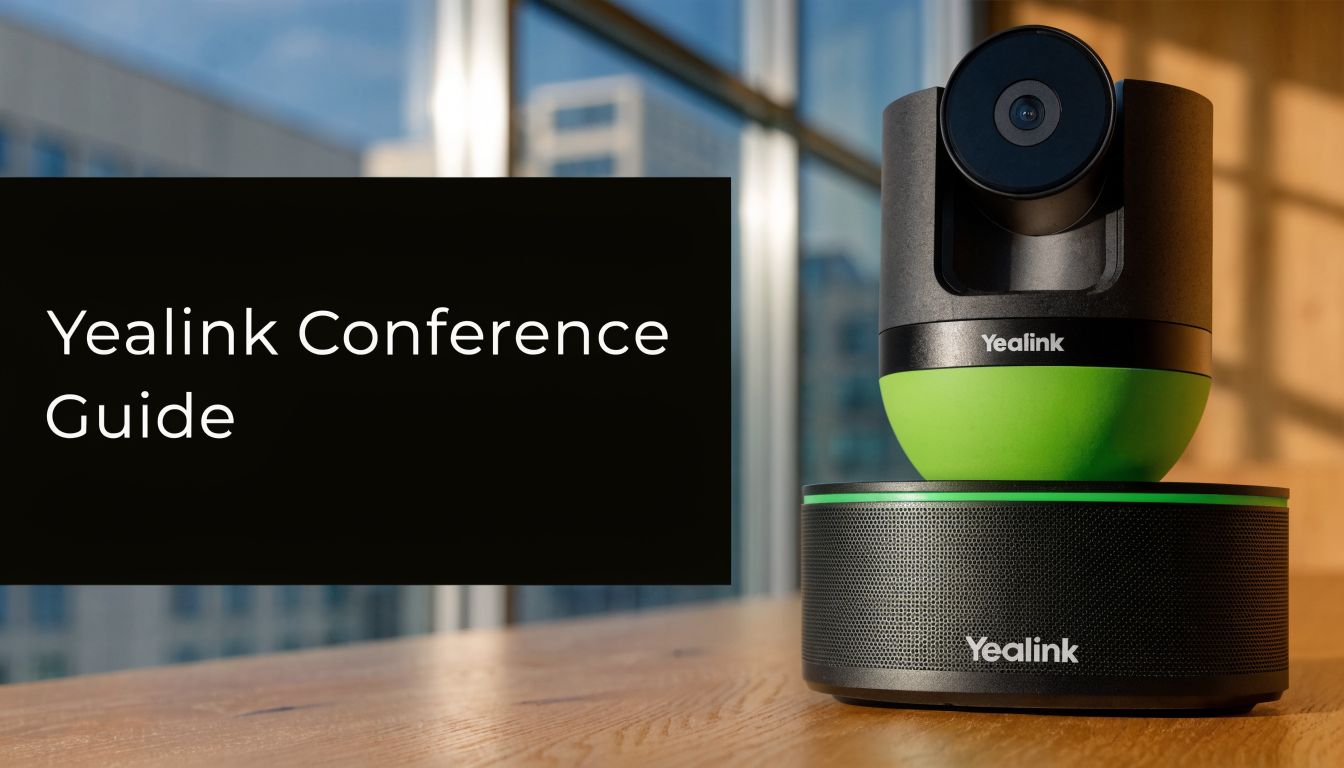
A lot of teams reach the same point without planning to. Meetings started on laptops because it was quick. Then hybrid work stuck, clients expected sharper presentation standards, and internal collaboration spread across more offices and home setups. Suddenly the conference room became the weakest part of the communication stack.
The usual symptoms are familiar. Remote participants struggle to hear the person at the end of the table. Someone spends the first minutes hunting for the right cable. The camera shows half the room and none of the whiteboard. A meeting that should feel organised ends up looking improvised.
That's where a yealink conference system becomes less of a gadget purchase and more of an operational decision. If the room is used often, if external stakeholders join regularly, or if multiple sites need a consistent setup, dedicated room hardware starts solving problems that software-only meetings keep pushing back onto users.
Moving Beyond Ad-Hoc Video Calls
A software meeting launched from a laptop can work. It just doesn't work reliably once the room becomes shared infrastructure instead of an occasional convenience.
One example comes up often in growing firms. The managing director joins from the boardroom, two department heads are in the room, finance is remote, and a client joins from another country. The meeting begins with basic friction. The laptop battery is low. The table microphone picks up air conditioning more clearly than people. The camera sits too low, so everyone remote gets a chin-level view of the room. Nobody planned for content sharing, so presenters swap seats to get close to the device.
That isn't a feature problem. It's a room-design problem.

Yealink enters this conversation with a credibility advantage. On its global site, Yealink states that it is the world's No. 1 IP phone vendor and a Top 5 leader in video conferencing (Frost & Sullivan, 2021), which matters when buyers need a vendor with a stable roadmap and broad product depth for enterprise use (Yealink company overview).
What changes when the room is treated as infrastructure
A proper room system shifts responsibility away from whoever happened to bring the best laptop that day. The room has its own camera logic, microphone design, speaker output, and meeting controls. That makes the experience more predictable for staff and more professional for customers.
In practical terms, teams usually care about three outcomes:
- Cleaner join experience: Users walk in and start the meeting without rebuilding the setup each time.
- Better room pickup: Audio and camera framing are designed for the space, not for a single person at a desk.
- More consistent brand impression: Client-facing meetings stop looking improvised.
A bad meeting room rarely fails because the platform is wrong. It fails because the room was never designed to be a shared endpoint.
If your organisation also uses video for learning or internal enablement, it helps to see how teams integrate multimedia content into your LMS because the value of better conferencing often extends beyond live meetings into training and knowledge transfer.
For businesses comparing options, this broader shift is similar to what's discussed in a video teleconferencing system guide for modern workplaces. The key point is simple. Once video meetings become routine, ad-hoc setups stop being cheap. They become a recurring source of friction.
Decoding the Yealink Product Ecosystem
The easiest way to understand the Yealink portfolio is to treat it like a specialist's toolkit. Different tools are built for different room behaviours, not just different budgets.
Some spaces need a quick, all-in-one appliance. Others need a modular room system tied tightly to Microsoft Teams Rooms or Zoom Rooms. And some rooms need collaboration hardware that supports whiteboarding and presentation as much as video.

Yealink's stated direction for conference rooms reflects where many organisations already are. In its 2025 conference-room trends overview, the company highlights AI-driven framing and voice recognition, and presents the MeetingBoard as an all-in-one device combining whiteboarding and video conferencing for modern collaboration needs (Yealink conference room trends in 2025).
MeetingBar for simpler rooms
MeetingBar systems make sense when simplicity beats flexibility.
These are usually the right fit for huddle rooms, small meeting rooms, and fast deployments where the priority is getting a room live with minimal cabling and minimal user confusion. In that environment, all-in-one has real value. Fewer separate components usually mean fewer points of failure and less commissioning work.
MeetingBar is often strongest when:
- The room layout is straightforward: One main table, front-facing display, predictable seating.
- The support team is lean: IT wants fewer moving parts and faster replacements if needed.
- Users vary in technical confidence: Rooms need to feel obvious, not engineered.
The trade-off is expansion. All-in-one systems are efficient, but there's always a point where a larger or more complex room starts asking for more coverage, more control, or more specialised peripherals.
MeetingBoard for collaborative spaces
The MeetingBoard sits in a different category. It isn't just a camera with speakers. It's built for rooms where discussion, annotation, and shared ideation matter.
That makes it useful in strategy rooms, training rooms, design reviews, and executive collaboration spaces where people need to switch between talking, presenting, and marking up ideas without layering separate tools on top of each other.
Practical rule: If the room regularly uses a whiteboard, a touchscreen, or visual brainstorming, evaluate MeetingBoard before you default to a camera-first setup.
The attraction here is consolidation. Instead of mounting separate conferencing hardware and then adding another collaboration surface, the room can centre around a single device category. That often simplifies the physical design of the room even if the upfront spend is higher than a basic appliance.
MVC and room-native systems
The MVC line matters when the business wants a room that behaves like a native Microsoft Teams Rooms endpoint rather than a generic USB peripheral setup.
This distinction matters more than many buyers expect. A native room system usually gives users a more controlled experience. The room has a fixed identity, a fixed calendar workflow, and a predictable join method. IT gets a clearer support boundary. Users get less ambiguity.
That usually works well for:
- Standardised Microsoft environments where Teams is already the default collaboration layer.
- Multi-site rollouts where repeatability matters more than one-off room customisation.
- Shared executive or client rooms where the organisation wants the room itself to be the meeting endpoint.
Yealink also supports room solutions for Zoom-centric deployments. The principle is the same. If the business has already standardised on a core platform, native room hardware usually creates less user friction than asking every host to drive the room from a laptop.
A better way to map the portfolio
Instead of asking, “Which Yealink product is best?” ask these questions:
- Is the room mostly for joining scheduled meetings, or for live collaboration?
- Do users need a native room experience, or only USB/BYOD flexibility?
- Will the room stay simple, or is expansion likely later?
- Does IT want appliance-style management, or modular room control?
Those answers narrow the field quickly. Most bad purchases happen because buyers choose by headline features. Better deployments start with room behaviour, support model, and the expected lifespan of the setup.
Choosing Your Yealink Deployment Architecture
Hardware selection gets attention, but deployment architecture usually shapes the long-term experience more than the camera does. The same yealink conference system can feel easy or awkward depending on whether the business runs it as a cloud-native room, an on-premise environment, or a hybrid mix.
The simplest analogy is property. Cloud is closer to renting. On-premise is closer to owning. Hybrid sits in between because it keeps some control in-house while using external platforms where they make sense.
Cloud-first for speed and standardisation
A cloud-first deployment usually means registering room systems directly to platforms such as Microsoft Teams Rooms or Zoom Rooms and letting those platforms handle the meeting workflow.
This is often the fastest route for organisations that already trust cloud collaboration and don't want to maintain more infrastructure than necessary. Provisioning tends to be cleaner, room behaviour is more consistent, and updates fit into a broader SaaS operating model.
Cloud usually works best when:
- The business already runs heavily on Microsoft or Zoom
- Internal IT wants fewer systems to maintain
- Branch rollout speed matters more than deep local customisation
The downside is control. If a security team wants stricter platform governance, unusual workflow handling, or tight internal policy boundaries, cloud convenience can start to feel limiting.
On-premise for policy and control
An on-premise approach makes sense when the room system sits inside a broader communications strategy that prioritises local control, data handling requirements, or custom integration logic.
That model usually suits regulated sectors, complex internal networks, or organisations with established infrastructure teams that prefer owning the support boundary. It can also help where internal change control is strict and the business doesn't want room functionality shifting with every platform-side update.
Choose on-premise because the organisation needs control, not because it's familiar. Familiarity alone rarely justifies the added operational burden.
On-premise also carries more responsibility. Someone has to manage the environment, patch it, document it, and support it. If that discipline isn't already in place, the control advantage can turn into support drag.
Hybrid for organisations in transition
Hybrid is often the most realistic answer, especially in the Gulf market where many organisations are modernising at different speeds across departments or sites.
A common pattern looks like this:
- Head office rooms use native platform integration with stronger governance
- Branch offices use simpler appliance deployments
- Sensitive teams keep tighter internal controls around specific workflows
That lets the business modernise without forcing every room into the same mould on day one.
What actually drives the decision
The right architecture usually comes down to four operational questions:
- Who owns support after go-live?
- How standardised is the collaboration platform estate?
- What security and governance expectations apply to meeting spaces?
- How often will rooms be added, moved, or redesigned?
If those questions aren't answered first, teams often overbuy infrastructure or underbuild governance. Neither saves money.
Seamless Integration with Teams Zoom and Cloud Services
A room system earns its keep when users stop thinking about the room itself. That usually happens only when the hardware and the meeting platform are tightly aligned.
In practice, most organisations land in one of two models. They either want a native room that lives inside Microsoft Teams or Zoom, or they want BYOD flexibility where users bring a laptop and use the room's camera, microphones, and speakers as peripherals. Both are valid. They solve different problems.

Why native rooms usually win in shared spaces
A native room is easier to govern and easier to support. The room has a known account, known calendar behaviour, and a known user interface. When a meeting starts, users aren't negotiating cable adapters, permissions, or desktop notifications.
A concrete example is the Yealink MVC S60 for Microsoft Teams Rooms. Yealink positions it for small-to-medium conference rooms, and its SmartVision 60 includes a 10K dual-lens 360° imaging system with 5× digital zoom and 6+1 microphone arrays for AI audio, all aimed at optimising the Teams room experience (Yealink MVC S60 product details).
That matters less as a spec sheet and more as a deployment implication. In a modest-sized room, broader capture and built-in microphone intelligence can reduce the need for extra processing components and simplify the overall installation.
Where BYOD still makes sense
BYOD is still useful. It's often the right answer for rooms used by mixed teams, external partners, or organisations that haven't fully standardised on one platform.
BYOD works well when the business needs:
- Platform flexibility: Teams today, Zoom tomorrow, perhaps another app next week.
- Lower commitment in shared spaces: A room can stay useful without being tied to one platform identity.
- Transitional deployment: IT can improve room audio and video before standardising the collaboration layer.
The trade-off is consistency. BYOD keeps flexibility high, but it also keeps more responsibility on the meeting host. In a room used constantly by varied users, that usually leads back to support calls and inconsistent meeting quality.
If a room hosts important meetings every week, native integration usually costs less to support than endless user-driven improvisation.
Integration goes beyond video
The strongest room deployments don't stop at calendar join and camera control. They tie the room into a broader communications environment. For Microsoft-centric organisations, that often includes voice integration, calling policies, and room-level telephony workflows, especially where the meeting room doubles as an operational collaboration point. For that side of the design, this overview of Microsoft Teams Voice deployment options is useful context.
There's another practical layer that Yealink's hardware pages don't fully answer for the region. Many UAE and GCC organisations need meetings to flow into notes, transcripts, and downstream actions across mixed-language operations. Hardware alone won't solve that. Teams should assess the software stack around the room, including whether they can transform virtual meeting audio with AI in ways that support searchable notes, summaries, and operational follow-up.
That's often where the actual integration project starts. The camera gets attention first. Workflow value appears later.
Selecting the Right System for Your Business
The best yealink conference system isn't the most advanced one. It's the one your users can run confidently, your IT team can support without drama, and your business can justify over the life of the room.
That's why room size alone is a weak buying method. Two rooms of similar dimensions can need completely different designs depending on who uses them, how often they're booked, and whether the organisation values simplicity or control.
Start with operating model, not catalogue
A small business usually wants fewer parts, faster deployment, and less day-to-day support overhead. An enterprise usually cares more about standardisation, room governance, lifecycle planning, and repeatable deployment patterns across sites.
Here's a practical comparison.
| Consideration | SMB Priority | Enterprise Priority |
|---|---|---|
| Ease of deployment | Fast setup with minimal cabling and fewer components | Repeatable room standards across many sites |
| User experience | Simple join flow for non-technical staff | Consistent interface tied to platform and policy |
| Support model | Low-touch support and easy swaps | Central governance, device management, escalation paths |
| Room complexity | All-in-one systems often fit better | Modular systems often fit better |
| Growth path | Start simple and expand only if needed | Design for long-term standardisation from the start |
| Procurement logic | Lower operational burden matters most | Vendor maturity, platform fit, and lifecycle control matter most |
What often fits SMBs
For many SMBs, MeetingBar-class systems are attractive because they solve the room quickly. They reduce the number of separate elements that need mounting, cabling, and troubleshooting. If the room is straightforward and the business mainly wants reliable scheduled meetings, that's often enough.
This approach is especially sensible when:
- Rooms are used by general staff, not AV specialists
- There's no dedicated unified communications engineer in-house
- The business needs usable conferencing without a long project cycle
A common mistake is buying modular enterprise-style hardware for a small office that won't use the extra flexibility. The result is more complexity with no practical gain.
What enterprises usually need
Larger organisations should be more demanding. They have more at stake when a boardroom fails, when a standard breaks across locations, or when support teams inherit inconsistent room builds.
For larger-room scenarios, the Yealink VC800 is a useful reference point for why room class matters. Yealink states in the VC800 datasheet that it supports up to 24-site HD video conferencing, uses H.265/HEVC, and supports up to 8 VCC22 cameras in a 1+8 multi-camera configuration, which shows the type of capacity planning relevant to larger, multi-site environments (Yealink VC800 datasheet).
That isn't just about scale for its own sake. It changes the design conversation:
- Multi-site participation raises media handling demands.
- Large rooms often need broader visual coverage than one camera can provide.
- Distributed enterprises care more about codec efficiency and room resilience.
A decision filter that works
Before choosing a product family, ask these questions in order:
- Who uses the room most often? Executives, general staff, clients, trainers, or mixed teams.
- How much support can IT realistically provide? Not ideally. Realistically.
- Does the room need native Teams or Zoom behaviour? Or is flexible BYOD enough.
- Will the room stay as it is for years? Or is expansion likely.
- What's the cost of a failed meeting in this room? Internal inconvenience is one thing. Client-facing failure is another.
A boardroom and a project room may look similar on a floor plan. They don't carry the same business risk.
Buy for the consequence of failure, not only for the room dimensions. That usually leads to better spending decisions.
A Practical Installation and Setup Checklist
Even good hardware produces poor results when the room isn't prepared properly. Most conference-room issues come from planning shortcuts, not defective devices.
A yealink conference system should be installed like shared business infrastructure. That means checking the network, the physical room, the user workflow, and the support model before anyone opens the box.

Before installation
The room should be surveyed as a real environment, not as a product destination. Camera angle, display height, lighting, table shape, glass walls, speaker placement, and microphone pickup all affect the outcome.
Use a pre-installation check that includes:
- Network readiness: Confirm the room has stable connectivity, sensible switching capacity, and QoS policies appropriate for voice and video traffic.
- Power and cable planning: Decide where power, displays, consoles, and any table devices will sit before mounting anything.
- Account and licence readiness: Native room systems need properly prepared platform accounts and booking logic.
- Room behaviour mapping: Note whether users present often, annotate content, host external clients, or shift furniture regularly.
A lot of avoidable rework happens because these decisions are left until installation day.
During installation
Teams often focus too much on whether the device powers on and not enough on whether the room works the way users expect.
During commissioning, validate:
- Meeting join workflow from the touch panel or room interface
- Camera framing from realistic seating positions
- Far-end audio quality with people speaking from different parts of the table
- Content sharing from the devices users bring
- Fallback behaviour if a user needs BYOD or a guest workflow
If the room supports business-critical meetings, test with real users, not only with the installer standing in front of the screen.
Don't sign off a room after a successful demo call. Sign it off after a normal employee can use it without explanation.
After go-live
Post-installation support is where adoption is won or lost. Most users don't need a manual. They need a simple room card, a predictable process, and a clear support path when something feels off.
A sensible handover includes:
- A one-page room guide: How to join, share content, mute, and get help
- Named ownership: Someone should own room accounts, updates, and vendor escalation
- Support protocol: Define what first-line support checks before escalating
- Usage review after launch: Watch how people use the room and correct avoidable friction quickly
For organisations treating meeting spaces as part of a wider communications estate, the discipline is similar to broader PABX system installation planning and support readiness. The room works best when technical commissioning and operational ownership are both clear.
Analyzing ROI and Total Cost of Ownership
The buying question isn't whether Yealink has good cameras. It's whether a dedicated room system produces lower friction, better governance, and more predictable support than continuing with software-only meetings from laptops and USB peripherals.
That's a total cost of ownership discussion, not a feature comparison.
Yealink itself points in that direction in its guidance on conferencing-camera selection. The key decision is not just camera specs, but whether the organisation can justify the TCO of managed conferencing infrastructure versus ad-hoc software setups, especially when security, support SLAs, and governance matter in markets like the AE region (Yealink guidance on conferencing camera choices).
What belongs in the TCO calculation
Too many buyers count only the invoice for the room kit. That understates the cost of both options.
For a dedicated room system, include:
- Hardware and accessories: Core system, touch panel, displays, mounts, and any microphones or cameras required for coverage
- Platform and room licensing: Native room accounts and any associated collaboration licences
- Installation effort: Design, mounting, cable work, testing, and user acceptance
- Support and lifecycle management: Firmware planning, account administration, room monitoring, and replacement strategy
- Network or room upgrades: If the existing environment is poor, the room may expose that
For software-only setups, the costs are less visible but still real:
- User time lost to repeated setup and meeting friction
- Support interruptions when every room behaves differently
- Weak client-facing presentation quality
- Security and governance gaps when meetings depend on unmanaged endpoints
ROI is usually operational, not dramatic
Most room projects don't justify themselves through one spectacular gain. They justify themselves through repeated, smaller improvements that accumulate.
Common sources of value include:
- Lower support burden because users stop rebuilding the room every meeting
- More consistent meeting starts with native room workflows
- Stronger executive and client experience in visible spaces
- Better platform governance when rooms become managed endpoints
There's also a regional factor that many hardware-first evaluations miss. Yealink's room content focuses strongly on room size, compatibility, and hardware fit, but it doesn't fully address whether the operational stack around the room supports Arabic-first or mixed-language workflows, especially for transcription, notes, and downstream customer or case processes in bilingual environments. In the UAE and wider GCC, that can materially affect real business value because the room doesn't live in isolation. It feeds communication processes that may require Arabic and English handling.
If the room creates a better meeting but the output still needs manual rework for bilingual operations, the investment case is only partially solved.
When dedicated rooms are worth it
A dedicated yealink conference system is usually justifiable when the room is shared often, has business-critical visibility, or needs to behave consistently across teams and sites.
If a room is rarely used, mostly internal, and supported by technically confident staff, software-only may remain acceptable. But once reliability, governance, and presentation standard matter, the apparent savings of ad-hoc setups often disappear into wasted time and inconsistent outcomes.
The strongest buying decision is usually the least glamorous one. Choose the option that reduces operational mess over the next several years, not the one that looks cheapest on day one.
If your organisation is weighing Yealink room systems against broader telephony, Teams Voice, or contact-centre requirements, Cloud Move can help assess the practical fit. That includes room strategy, platform alignment, deployment model, and the support implications across single-site and multi-site environments.