

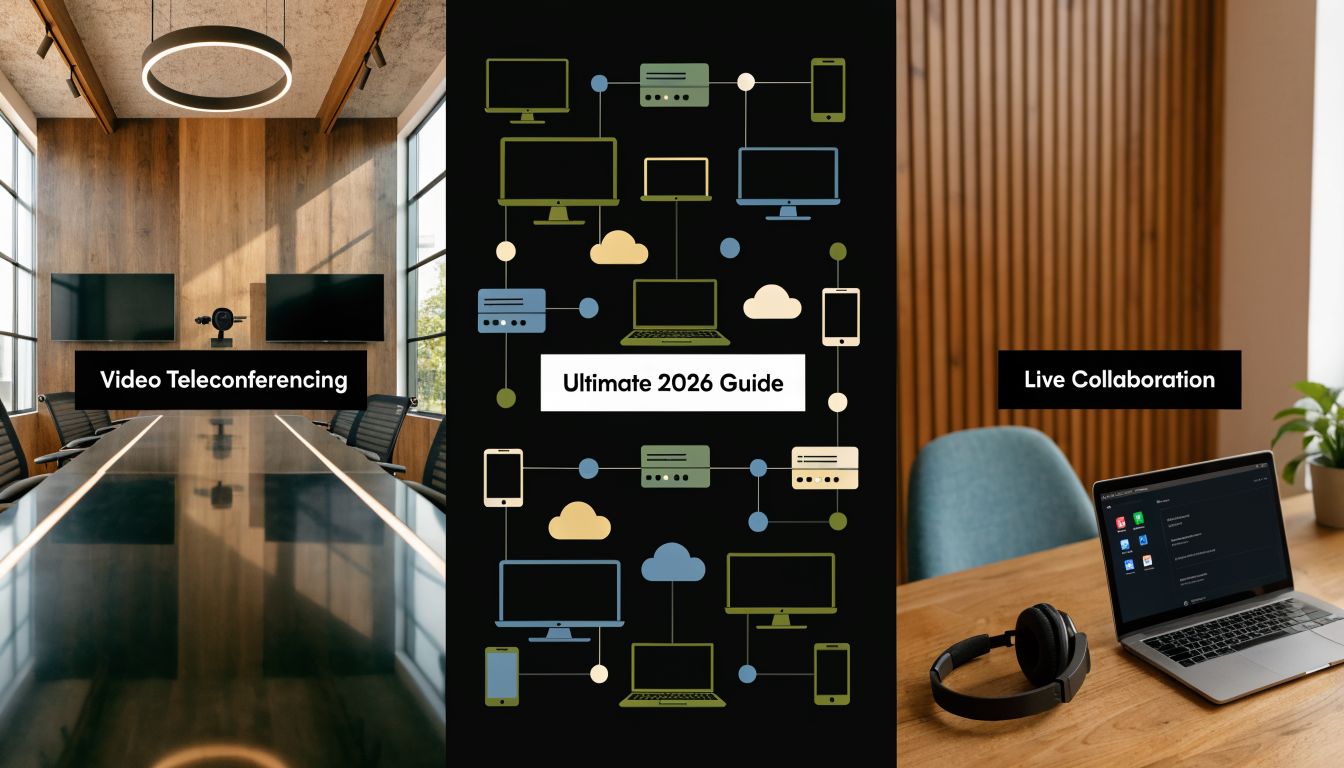
A lot of IT managers in the AE region are dealing with the same mess right now. Sales teams run meetings in one app, support agents answer customers in another, senior managers schedule calls through calendar tools that don’t sync cleanly, and the contact centre still depends on a separate voice stack. Everyone can technically “join a call”, but the business still feels disconnected.
That gap matters most when the pressure rises. A logistics firm in Dubai might need to coordinate warehouse supervisors, drivers, account managers, and customer support across several locations. If those conversations sit in silos, customers wait longer, managers lose visibility, and compliance teams have no reliable audit trail. The problem isn’t a lack of communication tools. It’s a lack of a communication system.
Beyond the Call The Modern Communication Imperative
A modern video teleconferencing system isn’t just a screen, camera, and meeting link. It acts more like the communication backbone of the business. It connects internal collaboration, customer conversations, reporting, security controls, and workflow integrations into one organised environment.
That shift changes how you should evaluate the category. If you treat video as a lightweight add-on, you’ll optimise for low upfront effort and end up with fragmented processes. If you treat it as core infrastructure, you’ll start asking better questions. How does it connect to CRM records. How does it route external calls. How does it support regulated data. How do supervisors monitor quality. How do teams move from chat to voice to video without losing context.
Where businesses usually get stuck
Most organisations don’t fail because staff can’t use video. They fail because the tools weren’t designed around actual business operations.
Common friction points include:
- Disconnected channels: A customer starts on voice, moves to WhatsApp, then needs a video session, but the agent has no shared interaction history.
- Room and remote mismatch: Boardroom users sound fine, but remote staff can’t hear clearly, can’t share content properly, or can’t join from mobile without compromise.
- Compliance blind spots: Teams share sensitive information over platforms that weren’t configured for regional data, retention, or access control requirements.
- No ownership model: IT owns devices, operations owns contact flows, legal owns compliance, and nobody owns the end-to-end experience.
Businesses usually don’t need “more meetings”. They need fewer communication gaps.
The result shows up in employee experience and customer experience at the same time. If your organisation is trying to improve service quality, speed of response, and visibility across channels, a unified communication foundation matters as much as agent training or process design. That’s why many teams reviewing video systems also end up revisiting their broader customer experience strategy.
What Is a Video Teleconferencing System Really
A basic video call is a point solution. A video teleconferencing system is an operating model supported by hardware, software, and network services.
Think of it this way. A simple video app is like a bicycle. It can move one person from one place to another. A full teleconferencing system is more like a logistics network. It includes routes, dispatch, tracking, security, handover points, and reporting. It doesn’t just let people talk. It makes communication dependable and manageable at scale.

The difference between a call and a system
When IT managers hear “video conferencing”, they often picture the user interface first. Join button. Camera on. Screen share. Chat panel.
That’s only the front layer. The full system usually includes:
- User endpoints: laptops, mobiles, desk devices, room kits, cameras, microphones, displays
- Platform services: meetings, calling, messaging, recording controls, admin tools
- Identity and access controls: user provisioning, MFA, permissions, device policies
- Business integrations: Salesforce, Dynamics 365, ticketing platforms, contact centre tools
- Network prioritisation: voice and video traffic treatment across office, branch, and mobile environments
- Governance features: retention, logging, auditability, data handling rules
That’s why businesses comparing video call apps for business use often realise the app itself is only one buying decision among several.
A system has a long history
Video teleconferencing sounds modern, but the idea is much older than many people realise. In 1936, Germany launched the world’s first public video teleconferencing system, connecting Berlin and Leipzig over 160 km of coaxial cable according to the documented history of videotelephony. That early system shows an important principle that still applies today. Reliable video communication depends on more than screens. It depends on the infrastructure carrying the interaction.
That’s one reason the AE context matters. Telecom evolution in the UAE followed the same broad lesson. The networks built by providers such as Etisalat created the base that now supports cloud calling, Microsoft Teams integrations, and Zoom Phone BYOC in enterprise environments.
Why the word system matters
Calling it a system changes the buying criteria.
You stop asking only, “Does it support video?” and start asking:
Can it fit our workflows?
If sales, support, and operations all use it differently, the platform needs flexible controls and integration options.Can it support our scale?
A company with one office and a few meeting rooms has very different needs from a multi-site operation with supervisors, mobile staff, and a contact centre.Can IT govern it properly?
If identity, retention, and reporting sit outside the platform, support overhead rises quickly.
Practical rule: If the tool can’t connect to the way your teams already work, it will become another app to manage, not a system to rely on.
The Three Pillars of a Video Teleconferencing System
A video call fails in predictable ways. People cannot hear clearly. They cannot join easily. Or the connection breaks under load. For an IT manager, those symptoms map to three pillars of the system. Hardware, software, and network.
That model is useful because it separates cause from blame. Users usually say, “Teams is bad” or “Zoom is unstable.” In practice, the fault may sit with a ceiling microphone that misses half the room, a policy setup that confuses guest access, or a WAN path that treats real-time traffic like ordinary web browsing.

Hardware shapes the physical experience
Hardware is the part users touch, hear, and see. It includes cameras, microphones, speakers, displays, room controllers, headsets, and the acoustic conditions around them. If this layer is wrong, the platform never gets a fair chance.
Start with room behaviour, not just room size. A four-seat executive room used for investor updates needs different capture quality from a six-seat internal project room. A training space needs wider pickup and clearer sight lines. A reception or open-plan area may need noise isolation before it needs a better camera.
That is also why some AE offices add quiet spaces such as office phone booths for private video calls. In regulated sectors, the point is not comfort alone. It is speech privacy, cleaner audio, and fewer accidental disclosures during client or patient conversations.
A few practical patterns usually hold:
- Small rooms: all-in-one video bars can work well when seating stays close and background noise is controlled.
- Medium rooms: separate microphones, better speaker placement, and dual displays often produce more consistent meetings.
- Formal rooms: camera angle, lighting, table finish, and cable management affect meeting quality as much as device brand.
Software controls workflow, policy, and integration
Software is the operating layer. It decides how meetings are scheduled, how participants join, how identities are checked, how calls are routed, and what data IT can govern afterward.
That matters more in AE deployments than generic buying guides often suggest. A business using Microsoft Teams with Direct Routing, or Zoom with BYOC, is not only choosing a meeting interface. It is choosing how the video system connects to telephony, identity, retention, recording rules, and business applications. In a bank, that may include CRM and supervised calling flows. In healthcare, it may include appointment systems and stricter controls around who can initiate, record, or retain a session.
A useful test is simple. Can a user move from an internal chat to a scheduled customer meeting, then escalate to voice or PSTN if needed, without losing identity, policy control, or reporting? If the answer is no, the software layer is creating operational gaps that IT will have to support manually.
Network preserves call quality
The network pillar is easy to ignore because users only notice it when it fails. Video traffic is sensitive to delay, jitter, packet loss, and poor routing choices. A high-spec room kit cannot compensate for unstable transport any more than a high-end microphone can fix a noisy room.
In the AE region, this gets practical quickly. Multi-site companies often run a mix of HQ offices, branch locations, home workers, and cloud apps hosted across different regions. Add internet breakout policies, SD-WAN design, ISP handoffs, and mobile connectivity, and call quality becomes an architecture question, not a meeting setting.
For Teams Direct Routing and Zoom BYOC, network design also affects compliance outcomes. If media paths, SBC placement, logging, and internet egress are poorly planned, IT can end up with inconsistent quality, harder troubleshooting, and governance blind spots across jurisdictions.
A reliable video teleconferencing system works like a three-part chain. Hardware captures the meeting, software manages it, and the network carries it without degrading the experience.
How the pillars work together
The primary value of this model appears during procurement and troubleshooting.
| Pillar | What it controls | What failure looks like |
|---|---|---|
| Hardware | Capture and playback | Echo, poor framing, weak pickup, awkward room use |
| Software | Experience and management | Confusing joins, weak reporting, isolated workflows |
| Network | Quality and continuity | Lag, choppy audio, frozen video, dropped handovers |
Use the table as a diagnostic map. If guest participants cannot join external meetings, start with software policy and identity settings. If boardroom calls sound hollow, inspect microphone placement and room acoustics. If branch users report freezing video at peak times, inspect WAN paths, QoS treatment, and internet breakout design.
That approach helps IT teams make better business decisions. Instead of replacing the platform too early, they can identify which pillar needs investment and whether the fix belongs in the room, the admin layer, or the underlying connectivity.
Unlocking Business Value Beyond Virtual Meetings
The business case for a video teleconferencing system doesn’t start with remote meetings. It starts with how communication affects service delivery, revenue activity, and operational speed.
When video is integrated into day-to-day workflows, teams stop treating it as a calendar event tool. Support agents use it to escalate complex cases. Sales teams use it for product walkthroughs. Operations leaders use it to reduce delays between field staff and central teams. HR and training teams use it to onboard people consistently across locations.
Customer operations benefit first
In many organisations, the clearest value appears in the contact centre. If an agent can move from voice to video without shifting between disconnected tools, the interaction becomes more useful. The customer doesn’t have to repeat the issue. The supervisor has better visibility. The CRM record can reflect the full journey rather than fragments.
That’s especially relevant in AE businesses handling multichannel engagement. Voice, SMS, email, WhatsApp, and video shouldn’t operate as separate islands if your aim is faster resolution.
A few examples where video adds practical value:
- Technical support: An agent can visually inspect equipment, packaging damage, or installation issues instead of relying on a verbal description.
- Financial services: Relationship teams can hold scheduled video sessions with stronger identity controls than ad hoc consumer tools.
- Healthcare administration: Staff can manage appointment communication and secure patient interactions through governed workflows.
- Logistics and field operations: Teams can coordinate warehouse, transport, and customer service responses in real time when exceptions arise.
Better spaces improve better conversations
Not every business needs a formal boardroom build. Some need quieter environments for focused conversations inside busy offices. In those cases, resources such as these office phone booths can help teams think through acoustic privacy, meeting pods, and workspace design that supports cleaner audio and fewer distractions.
Physical environment often gets ignored in ROI discussions. It shouldn’t. A weak room setup creates friction that software alone can’t solve.
Value appears in workflow compression
The biggest gains often come from reducing steps.
Instead of this sequence:
- Customer calls support
- Agent sends follow-up email
- Another team schedules a separate video meeting
- Notes get copied manually into the CRM
You can move towards this one:
- Customer contacts the business
- Agent escalates to a governed video session
- Supervisor sees the interaction in context
- Notes and follow-up actions stay attached to the same workflow
That kind of compression improves consistency and reduces avoidable handoffs.
When video sits inside the communication workflow, it stops being overhead and starts removing overhead.
It also creates resilience. If one office is disrupted, teams can continue internal reviews, customer consultations, and training from other locations without rebuilding the process from scratch. That’s why the tangible return rarely comes from “meeting savings” alone. It comes from fewer delays, cleaner handovers, and more complete customer interactions.
Choosing Your Deployment and Integration Strategy
Deployment decisions shape cost, control, and risk for years. The wrong model creates friction that no user training can fix. The right model reflects how your business handles security, location spread, legacy telephony, compliance obligations, and application integrations.
For most AE organisations, the choice isn’t only cloud versus on-premise. It’s often a decision about where governance sits, where data flows, and how much flexibility the business needs as operations expand.
Deployment Model Comparison
| Factor | Cloud (SaaS) | On-Premise | Hybrid |
|---|---|---|---|
| Speed to deploy | Faster to roll out across users and sites | Slower, depends on local infrastructure and internal resources | Moderate, depends on scope and integration design |
| IT control | More vendor-managed | More internally controlled | Shared control model |
| Scalability | Easier for growing teams and distributed users | Requires more planning for expansion | Strong fit where some workloads must scale and others must stay local |
| Compliance fit | Strong if regional data handling and contractual terms align | Useful where internal governance must remain tightly controlled | Often suitable for regulated firms with mixed requirements |
| Integration flexibility | Good with modern APIs and cloud apps | Strong with legacy local systems | Useful when CRM, telephony, and compliance needs differ by workload |
| Operational complexity | Lower day-to-day infrastructure burden | Higher support and maintenance burden | Highest design complexity, but often the most adaptable |
How to think about each model
Cloud SaaS works well when your priority is speed, distributed access, and simplified administration. It suits firms that want standardised collaboration quickly and can align security and data-handling requirements with the provider’s model.
On-premise still matters when internal policy, legacy systems, or sector obligations require tighter local control. That doesn’t automatically make it safer. It means your team owns more of the architecture and support burden.
Hybrid often makes the most sense in the AE region, especially when a business wants cloud agility for collaboration but needs more controlled telephony paths, local policy enforcement, or staged migration from older systems.
The deployment model should follow the risk model, not the marketing trend.
Integration is where strategy becomes real
A video platform becomes much more valuable when it’s connected to the rest of the business stack. Without integration, staff still switch screens, copy notes, and lose context during handovers.
Many projects frequently encounter difficulties. For AE audiences, 41% of contact centre supervisors cited “choppy multichannel handover” on 5G, and hybrid solutions such as Xcally-WhatsApp showed an 18% agent performance lift versus pure video in the referenced market data from regional analysis of conferencing and multichannel trends. The lesson isn’t that video is weak. It’s that video on its own doesn’t solve workflow continuity.
Integration priorities usually include:
- CRM synchronisation: customer records, notes, call outcomes, and follow-up tasks should stay attached to the same interaction trail
- Contact centre orchestration: agents need supervised escalation paths from voice or chat into video when the issue requires it
- Identity management: user provisioning and access policy should connect to your existing directory and security controls
- Telephony interoperability: video and voice should operate as one environment, especially where Teams Direct Routing or BYOC is involved
For firms evaluating session border control and voice connectivity as part of that design, this guide to Microsoft Teams SBC architecture is useful background reading.
One practical example is using Cloud Move as an implementation option where organisations need combinations such as Microsoft Teams Voice Direct Routing, Zoom Phone BYOC, Xcally contact centre flows, and CRM integrations with Dynamics 365 or Salesforce. That kind of architecture makes sense when the goal is unified workflow rather than a standalone meeting service.
A good strategy answers three questions
- Where should sensitive communication data reside and be governed
- Which workflows must remain uninterrupted during channel handovers
- Which legacy systems need integration instead of replacement
If you can answer those clearly, the deployment decision becomes much easier.
Navigating Security and Compliance in the AE Region
A common failure pattern in the UAE starts before the first meeting is scheduled. A business selects Teams, Zoom, or another cloud platform because the user experience looks right, then discovers during legal review or go live that recording location, call logs, identity controls, or telecom routing do not match internal policy. At that point, changing course is expensive because security decisions are already baked into the design.
That is why security and compliance should be treated as architecture choices from day one.
A video teleconferencing system now carries far more than live audio and video. It can carry customer identifiers, board discussions, medical conversations, payment details, support escalations, and recordings that may become part of an audit trail. For regulated organisations in the AE region, the practical question is simple. Can you show where that information travels, who can reach it, and what evidence you retain afterward?

Data residency shapes design choices
Data residency is often misunderstood as a legal checkbox. In practice, it affects platform selection, recording policy, integrations, and even whether you use a multitenant cloud model, a regional deployment, or a controlled hybrid setup.
For an IT manager in the UAE, the first review should focus on a few plain questions:
- Where are meeting metadata, recordings, chat content, and administrative logs processed or stored
- Which parts of the service stay in a vendor cloud, and which parts can be kept under your control
- Whether your contracts clearly describe handling, retention, access, and deletion responsibilities
- How cross-border support access is controlled and logged
This matters more in environments such as healthcare, finance, government-linked entities, and critical logistics. A meeting platform may look compliant in a demo, but the actual test is whether its operating model fits your internal governance rules and the expectations attached to your sector in the UAE.
Security controls should map to business outcomes
Security terms can blur together during procurement. It helps to read them the way you would read building controls in a secure office. Encryption protects the conversation in transit. Identity controls decide who can enter. Logging creates the visitor book. Retention rules determine what gets archived and for how long.
Here is a practical way to evaluate the core controls:
- AES-256 encryption for content: protects sensitive meeting material from interception
- TLS 1.3 for signalling: secures session setup and call control traffic
- SRTP for media: protects the live audio and video stream
- MFA and conditional access: reduce the risk of unauthorised sign-in
- Audit logs: record joins, leaves, admin actions, policy changes, and access events
- Waiting rooms, passcodes, and role-based controls: limit who gets into sensitive sessions and what they can do inside them
The control itself is only half the answer. You also need to know who administers it, how consistently it is applied, and whether exceptions are visible. A platform with strong encryption but weak admin hygiene still creates exposure.
Compliance often breaks at the proof layer. The issue is not only whether a control existed, but whether your team can show that it was active, enforced, and reviewed.
AE deployments often involve telecom and platform boundaries
Regional projects become more complex than a generic cloud rollout. In the AE market, video policy cannot always be separated from voice policy, identity policy, and telecom design. If you are using Microsoft Teams Direct Routing or Zoom BYOC, the compliance review should include the boundary between the collaboration platform and the voice environment.
That boundary matters because call records, routing data, SBC policy, and user identity may sit across multiple systems. A regulator, internal auditor, or security team will not care that those systems belong to different vendors. They will ask whether the end-to-end service is controlled properly.
For example, a bank might run Teams meetings in the cloud, keep voice connectivity under Direct Routing, apply access policy through Microsoft Entra ID, and archive certain records under internal governance rules. A healthcare provider may use Zoom with BYOC so telephony remains under approved controls while video supports specialist consultations. In both cases, compliance depends on how the whole chain is configured, not on any single product claim.
Regulated sectors need a tougher vendor review
Generic security questionnaires are not enough for regulated industries. Your vendor review should test whether the provider can support your operating model, not just list product features.
Ask direct questions such as:
- Can the vendor explain where each data type resides, including recordings, transcripts, chat, logs, and support data
- Can they support defined retention and deletion policies that match your governance requirements
- Can they document admin access, privileged support access, and customer-controlled access restrictions
- Can they support hybrid or controlled architectures where some workloads must remain under tighter local control
- Can they align platform design with UAE telecom realities and your approved voice connectivity model
Good answers are specific. Vague answers are a warning sign.
The strongest deployments combine technical controls, contractual clarity, and operational discipline. If one of those three is missing, the risk shows up later during an audit, an incident review, or a business change such as opening a new branch, adding a contact centre workflow, or shifting from pilot to full regional rollout.
How to Select the Right Solution for Your Business
By the time you reach vendor discussions, most of the important decisions should already be framed internally. The shortlist shouldn’t start with brand preference. It should start with your operating requirements.
A useful buying process asks one simple question repeatedly. Will this solution fit the way our business communicates?

Start with use cases, not features
Build your evaluation around real scenarios. A finance team reviewing client documents has different needs from a support desk escalating product issues or a regional manager running training across branches.
Create a shortlist of your highest-value use cases:
- Internal collaboration: executive meetings, branch reviews, remote training
- Customer engagement: service escalations, account reviews, onboarding calls
- Contact centre operations: supervised transfers, multichannel continuity, analytics visibility
- Regulated workflows: sessions involving sensitive records or controlled participant access
This keeps vendor demos grounded. Instead of asking for a tour of the interface, ask them to show how your actual workflows would run.
Evaluate six decision areas
Use a scoring sheet if you need internal alignment. The categories below usually surface the key differences.
- Scalability: Can the platform support smaller teams now and larger multi-site operations later without redesigning everything?
- Integration depth: Does it connect cleanly with CRM, ticketing, ERP, and contact centre systems you already use?
- Security posture: Are encryption, MFA, waiting rooms, audit trails, and admin controls mature enough for your sector?
- Compliance fit: Can the vendor support regional data obligations and contractual security commitments?
- Support model: Will you get responsive help during rollout, migration, and live operations?
- User adoption: Can non-technical staff join, share, escalate, and collaborate without needing constant IT intervention?
Test regulated workflows properly
For regulated industries, some requirements are mandatory. Solutions should offer end-to-end AES-256 encryption and support BAA-equivalent agreements, while controls such as virtual waiting rooms and MFA have been shown to reduce unauthorised access by over 90% in the cited guidance from security requirements for compliant video teleconferencing.
That doesn’t mean every business needs the same compliance stack. It means the evaluation should reflect your actual exposure.
Don’t ask whether a platform is secure in general. Ask whether it is secure enough for your most sensitive workflow.
Questions worth putting to vendors
Use direct questions. Vague answers usually hide implementation gaps.
- How would you support our mix of office users, remote staff, and shared rooms
- How do you handle identity, access control, and auditability
- What happens when an agent needs to move from voice or chat into video
- Which CRM and contact centre integrations are native, and which require custom work
- What support do you provide during rollout and after go-live
- Can we test the experience in a controlled demo using our own scenarios
Judge total cost, not sticker price
The cheapest licence often becomes the most expensive environment to support. Manual workarounds, duplicate tools, poor adoption, and weak integration create hidden cost quickly.
Look at total cost of ownership through three lenses:
| Cost area | What to examine |
|---|---|
| Technology | Licences, devices, room kits, connectivity, add-ons |
| Operations | IT support burden, administration effort, vendor responsiveness |
| Workflow impact | Time lost to handovers, duplicate entry, poor user adoption |
A good selection process doesn’t just prevent a bad purchase. It protects the business from years of avoidable friction.
Building Your Future-Proof Communication Strategy
A strong video teleconferencing system gives the business more than a place to meet. It gives teams a controlled way to collaborate, serve customers, and move information across locations without losing context, quality, or governance.
That matters even more in the AE region, where infrastructure quality, multichannel integration, and regulatory expectations all shape the success of the deployment. A business that chooses the right model, connects the right systems, and designs around real workflows can turn video from a utility into a practical advantage.
The pattern is consistent. Organisations get better results when they stop buying “meeting software” and start designing a communication environment. That includes room hardware, network readiness, telephony paths, CRM integration, security controls, and vendor accountability. If one of those layers is ignored, users feel the friction quickly.
For IT managers, the next step isn’t to collect more feature lists. It’s to map your real use cases, identify the regulated workflows that matter most, and test solutions against those conditions. That approach leads to cleaner architecture and fewer surprises after rollout.
If you're reviewing options for a secure, integrated communication environment, Cloud Move offers customized demonstrations for businesses that need video, telephony, contact centre workflows, and CRM integration aligned with AE infrastructure and compliance requirements. A practical demo using your own scenarios will tell you more than a generic product tour ever will.